
Database Notifications
Transform user communication with persistent, interactive notifications that are stored in your database and accessible through an elegant slide-over modal interface. Unlike flash notifications that disappear after page refresh, database notifications create a permanent communication channel between your application and users, complete with real-time updates, interactive actions, and comprehensive management features. Whether you're building approval workflows, system alerts, or user-to-user messaging, database notifications provide the robust foundation for sophisticated notification systems that scale with your application's needs.
# Panel Configuration & Setup
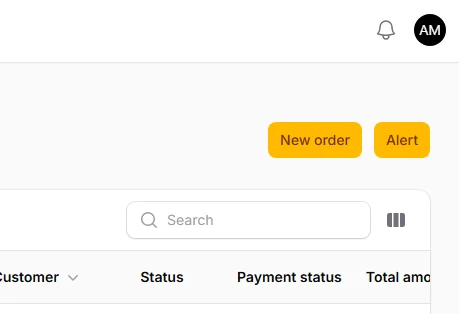
Enable database notifications in your Filament panel configuration to unlock persistent notification functionality. This simple setup automatically creates the notification center interface, complete with bell icon trigger, unread count badges, and the slide-over modal container. The configuration also handles the underlying infrastructure for storing, retrieving, and managing notifications.
You turn on the database notifications in you Panel provider:
use Filament\Panel;

public function panel(Panel $panel): Panel
{
    return $panel
        ->default()
        ->databaseNotifications() // Enable database notifications
        ->databaseNotificationsPolling('30s'); // Optional: Set polling interval
}
For DB notifications to work you'll need a setup table there:
php artisan make:notifications-table
php artisan migrate
DB notifications are run via queue, so make sure your queue is running
php artisan queue:work
# Basic Notification Sending
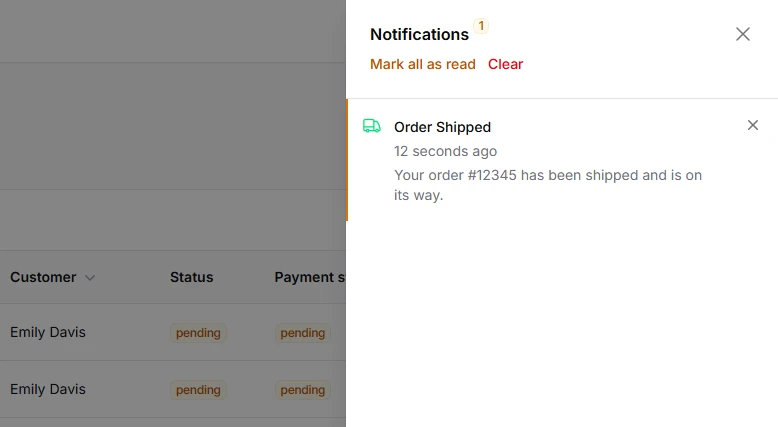
Create and send database notifications using Filament's fluent notification builder. These notifications are stored permanently in your database, allowing users to access them anytime through the notification center. The builder supports rich content including titles, descriptions, status indicators, and custom icons.
use Filament\Notifications\Notification;

$recipient = auth()->user();

Notification::make()
    ->title('Order Shipped')
    ->body('Your order #12345 has been shipped and is on its way.')
    ->success()
    ->icon('heroicon-o-truck')
    ->sendToDatabase($recipient);
# Interactive Notification Actions
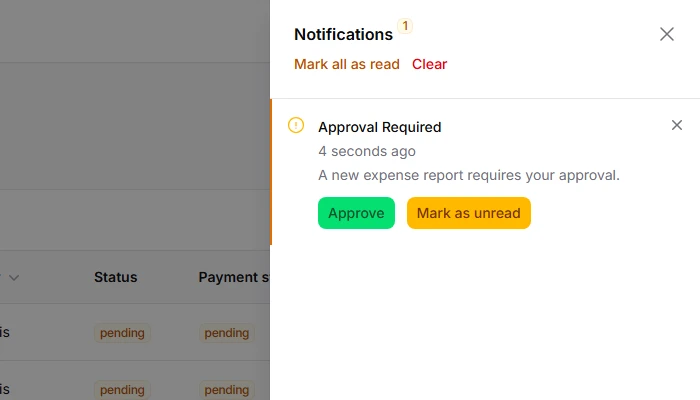
Add actionable buttons directly within notifications to enable immediate user responses without leaving the notification center. Actions can trigger complex workflows, update record statuses, or navigate to relevant pages, making notifications an interactive communication tool rather than just passive messages.
use Filament\Actions\Action;
use Filament\Notifications\Notification;

Notification::make()
    ->title('Approval Required')
    ->body('A new expense report requires your approval.')
    ->warning()
    ->actions([
        Action::make('approve')
            ->button()
            ->color('success')
            ->url('/admin/expenses/pending'),
        Action::make('markAsUnread')
            ->button()
            ->markAsUnread(),
    ])
    ->sendToDatabase($recipient);