
Empty States
Transform potentially frustrating "no data" moments into engaging opportunities for user interaction. Rather than leaving users staring at blank tables, Filament's empty state system lets you create helpful, branded experiences that guide users toward their next action. From simple customized messages to sophisticated interactive layouts with call-to-action buttons, these tools turn empty tables into conversion opportunities.
# Basic empty state customization
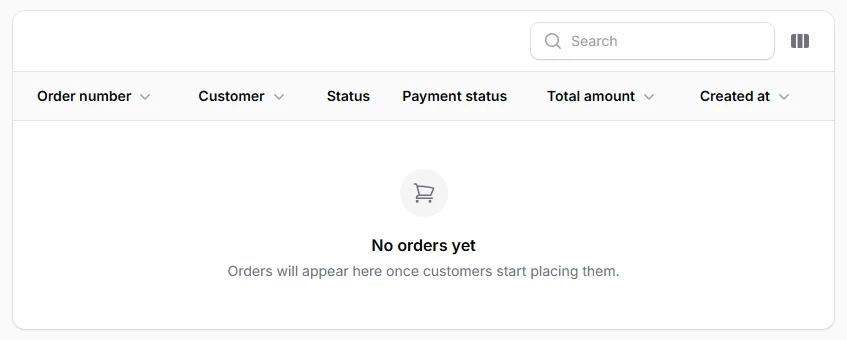
Control the message, icon, and description that users see when tables contain no data. Perfect for providing context about why the table is empty and what users can expect to see once data is available. Use meaningful icons and clear, encouraging language to maintain user confidence.
return $table
    ->columns([
        // Your columns ...
    ])
    ->emptyStateHeading('No orders yet')
    ->emptyStateDescription('Orders will appear here once customers start placing them.')
    ->emptyStateIcon('heroicon-o-shopping-cart');
# Empty state with call-to-action buttons
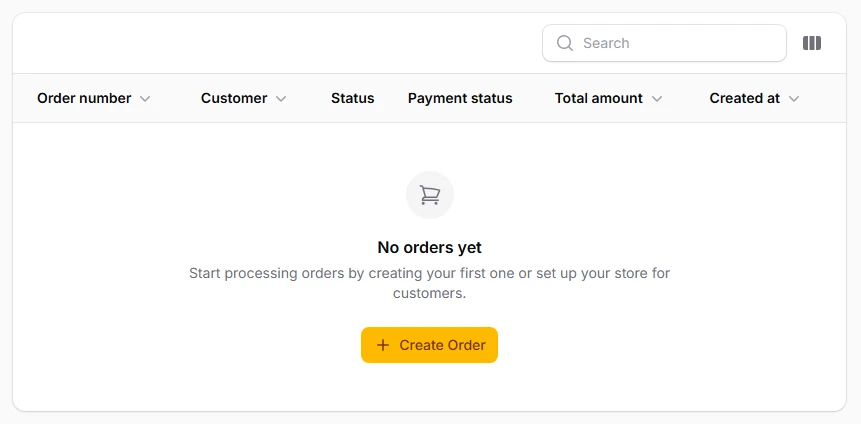
Add interactive buttons that guide users toward creating their first record or taking relevant actions. These buttons can navigate to creation forms, external resources, or trigger specific functions. Transform empty states from dead ends into starting points for user engagement.
return $table
    ->columns([
        // Your columns ...
    ])
    ->emptyStateHeading('No orders yet')
    ->emptyStateDescription('Start processing orders by creating your first one or set up your store for customers.')
    ->emptyStateIcon('heroicon-o-shopping-cart')
    ->emptyStateActions([
        Action::make('create')
            ->label('Create Order')
            ->url(OrderResource::getUrl('create'))
            ->icon('heroicon-m-plus')
            ->button(),
    ]);