
Row Actions
Empower every table row with contextual actions that bring business logic directly to your data. Filament 4.x transforms static data displays into interactive command centers where users can edit, delete, duplicate, export, or execute custom workflows without leaving the table context. Whether you need simple CRUD operations or complex multi-step business processes, row actions provide the perfect balance of accessibility and power.
# Basic Row Actions
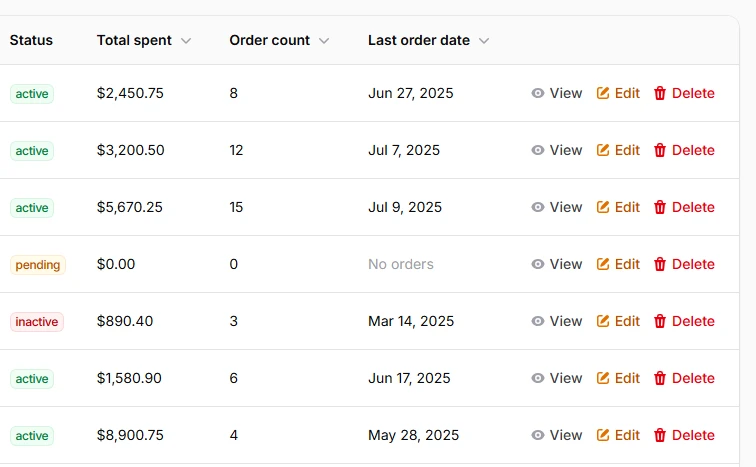
Provide essential CRUD operations with beautifully styled action buttons. The foundation of table interactivity starts with edit, view, and delete actions that integrate seamlessly with your Eloquent models. Each action automatically handles record context and provides consistent user experience across your application.
return $table
    ->columns([
        // ... your existing columns
    ])
    ->recordActions([
        ViewAction::make(),
        EditAction::make(),
        DeleteAction::make(),
    ]);
# Action Groups
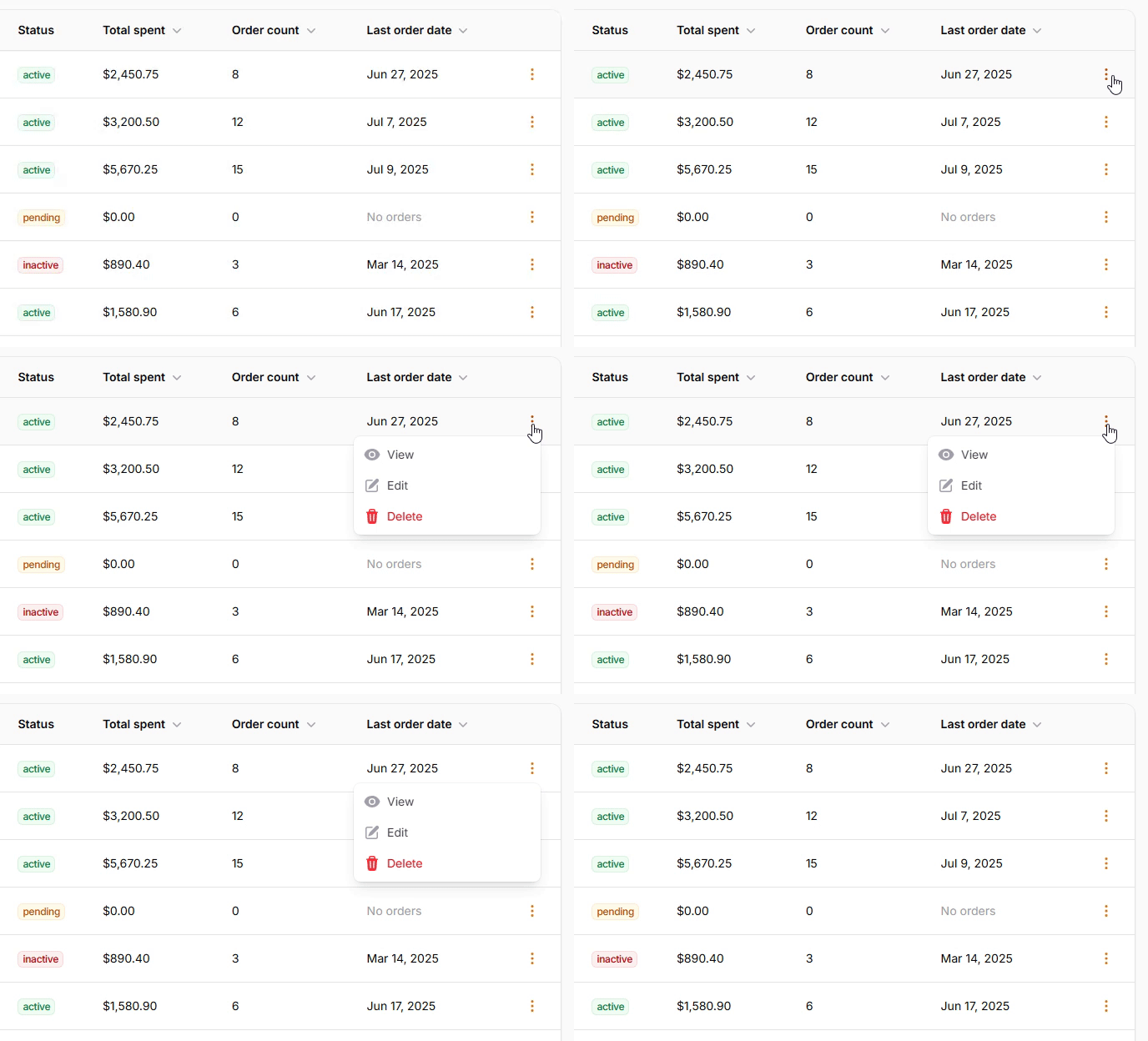
Organize multiple actions into clean dropdown menus to save space and reduce visual clutter. Perfect for tables with many possible actions per row - group related operations together while maintaining easy access to all functionality. Users get a clean interface without sacrificing power.
return $table
    ->columns([
        // ... your existing columns
    ])
    ->recordActions([
        ActionGroup::make([
            ViewAction::make(),
            EditAction::make(),
            DeleteAction::make(),
        ])
    ]);
# Custom Actions
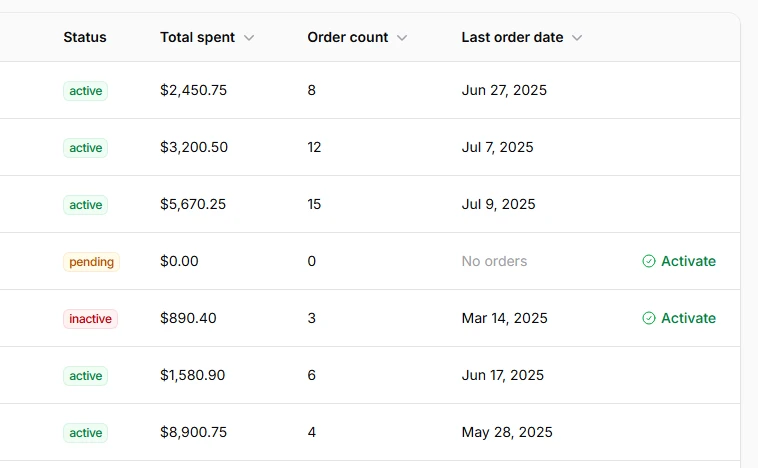
Create business-specific actions that execute your custom logic with professional confirmation flows. Build actions for approval workflows, status changes, data exports, or any domain-specific operation your application requires. Each action can collect additional data through forms and provide rich user feedback.
return $table
    ->columns([
        // ... your existing columns
    ])
    ->recordActions([
        Action::make('activate')
            ->icon('heroicon-o-check-circle')
            ->color('success')
            ->visible(fn (Customer $record): bool => $record->status !== 'active')
            ->requiresConfirmation()
            ->modalHeading('Activate Customer')
            ->modalDescription('Are you sure you want to activate this customer account?')
            ->action(fn (Customer $record) => $record->update(['status' => 'active'])),
    ]);
# Action Styling Options
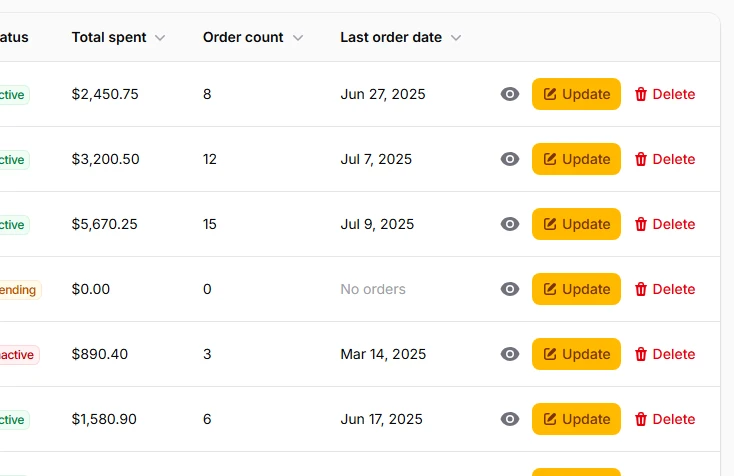
Choose from multiple visual styles to match your interface design and user experience goals. Actions can be rendered as icon buttons for minimal interfaces, full buttons with labels for clarity, or subtle links for secondary actions. Each style maintains full functionality while providing different visual weight.
return $table
    ->columns([
        // ... your existing columns
    ])
    ->recordActions([
        ViewAction::make()
            ->iconButton(),  // Just icon for compact view
        EditAction::make()
            ->button()
            ->label('Update'),  // Button for better highlight
        DeleteAction::make()
            ->link()  // Default row display
    ]);
# Confirmation Actions
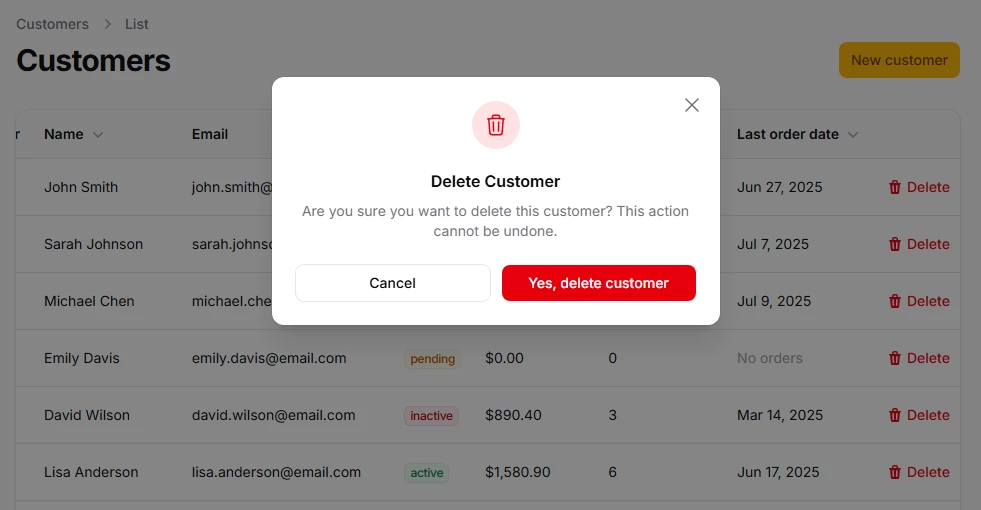
Add safety layers for destructive operations with customizable confirmation modals. Essential for delete operations, bulk changes, or any action that significantly impacts data. Provide clear messaging and custom button labels to ensure users understand the consequences of their actions.
return $table
    ->columns([
        // ... your existing columns
    ])
    ->recordActions([
        DeleteAction::make()
            ->requiresConfirmation()
            ->modalHeading('Delete Customer')
            ->modalDescription('Are you sure you want to delete this customer? This action cannot be undone.')
            ->modalSubmitActionLabel('Yes, delete customer'),
    ]);
# URL Actions
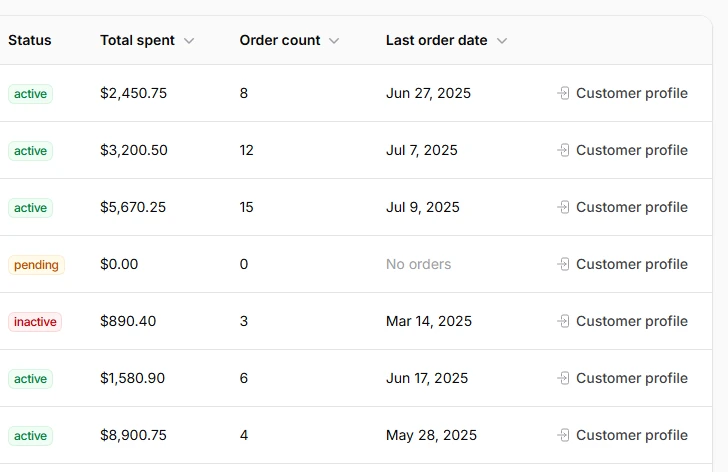
Create navigation actions that redirect users to related pages or external resources. Perfect for linking to detailed views, external documentation, or related systems while maintaining the table context. Actions can open in new tabs to preserve user workflow.
return $table
    ->columns([
        // ... your existing columns
    ])
    ->recordActions([
        Action::make('customer_profile')
            ->icon('heroicon-o-arrow-right-end-on-rectangle')
            ->url(fn (Customer $record): string => route('customers.show', $record->customer))
            ->color('gray'),
    ]);