
Icon Entry
Icon entries provide visual status indicators that transform raw data values into meaningful, contextual icons. Whether displaying simple boolean states with check/cross icons or complex workflow statuses with custom icon sets, these components make data interpretation instant and intuitive. Perfect for dashboards, user profiles, and status overviews where quick visual scanning is essential, icon entries support dynamic color coding, multiple sizing options, and intelligent state mapping that adapts to your business logic.
# Basic boolean display
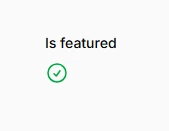
Display simple true/false states using default check and cross icons. Filament automatically detects boolean database columns and applies appropriate styling. The boolean() method enables this behavior and provides consistent visual feedback across your application.
use Filament\Infolists\Components\IconEntry;

IconEntry::make('is_featured')
    ->boolean()
# Custom boolean icons
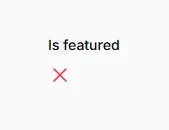
Replace default boolean icons with custom alternatives that better match your application's context. Use any Heroicon or custom icon set to create more meaningful visual representations of your boolean data, such as badges for featured content or shields for verified accounts.
IconEntry::make('is_featured')
    ->boolean()
    ->trueIcon('heroicon-o-check-badge')
    ->falseIcon('heroicon-o-x-mark')
# Dynamic icon selection
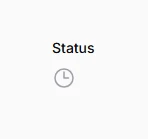
Create intelligent icon mapping that responds to multiple field values beyond simple boolean states. This approach enables rich visual vocabularies for complex data like workflow statuses, priority levels, or content types, making your interfaces more intuitive and scannable.
IconEntry::make('status')
    ->icon(fn (string $state): string => match ($state) {
        'draft' => 'heroicon-o-pencil',
        'reviewing' => 'heroicon-o-clock',
        'published' => 'heroicon-o-check-circle',
        'rejected' => 'heroicon-o-x-circle',
        default => 'heroicon-o-question-mark-circle',
    })
# Color-coded status indicators
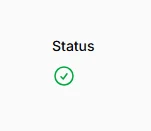
Enhance icon semantic meaning through contextual color coding. Use Filament's built-in color palette to create consistent visual language where colors reinforce the meaning of different states, improving user comprehension and reducing cognitive load.
IconEntry::make('status')
    ->icon(fn (string $state): string => match ($state) {
        'draft' => 'heroicon-o-pencil',
        'reviewing' => 'heroicon-o-clock',
        'published' => 'heroicon-o-check-circle',
        'rejected' => 'heroicon-o-x-circle',
    })
    ->color(fn (string $state): string => match ($state) {
        'draft' => 'info',
        'reviewing' => 'warning',
        'published' => 'success',
        'rejected' => 'danger',
        default => 'gray',
    })