
Fieldset Grouping
Fieldsets provide visual organization and logical grouping for related form fields, creating clear boundaries between different sections of data while maintaining consistent layout behavior. Beyond simple visual grouping, Filament's fieldsets offer powerful relationship integration, allowing you to automatically map field data to related models with seamless data loading and saving capabilities.
# Basic fieldset structure
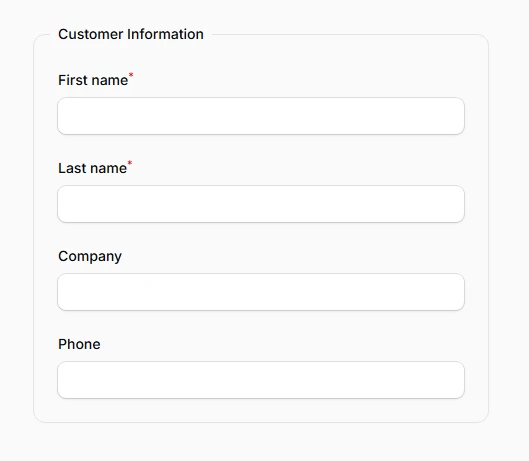
Create labeled sections with clear visual boundaries using Filament's default fieldset styling. Each fieldset automatically includes a bordered container with a two-column grid layout, providing immediate organization for grouped fields without additional configuration.
use Filament\Schema\Components\Fieldset;
use Filament\Forms\Components\TextInput;

Fieldset::make('Customer Information')
    ->schema([
        TextInput::make('first_name')
            ->required(),
        TextInput::make('last_name')
            ->required(),
        TextInput::make('company'),
        TextInput::make('phone'),
    ])
# Custom column layouts
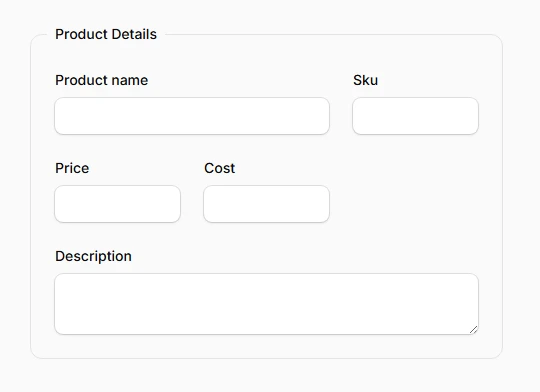
Control the internal grid structure of fieldsets using responsive breakpoint configurations. The columns() method accepts both integer values for simple layouts and arrays for responsive designs that adapt to different screen sizes.
use Filament\Schema\Components\Fieldset;
use Filament\Forms\Components\TextInput;
use Filament\Forms\Components\Textarea;

Fieldset::make('Product Details')
    ->columns([
        'default' => 1,
        'md' => 2,
        'xl' => 3,
    ])
    ->schema([
        TextInput::make('product_name')
            ->columnSpan([
                'default' => 1,
                'xl' => 2,
            ]),
        TextInput::make('sku'),
        TextInput::make('price')
            ->numeric(),
        TextInput::make('cost')
            ->numeric(),
        Textarea::make('description')
            ->columnSpanFull(),
    ])
# Relationship integration
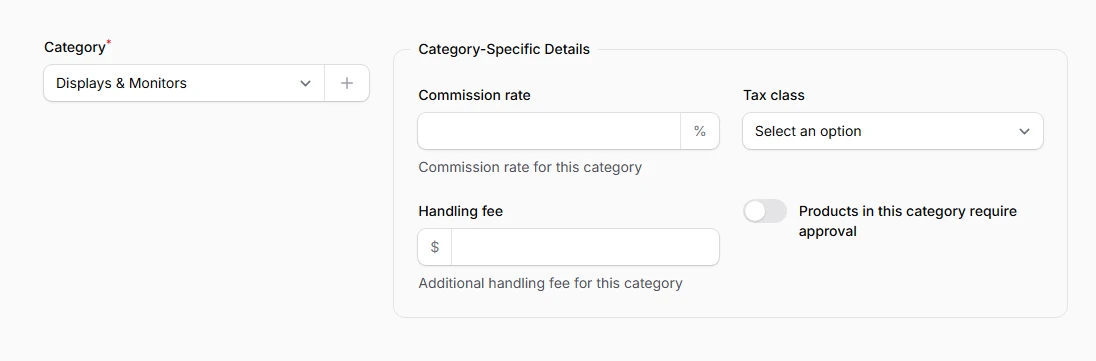
Automatically load and save field data to related models using the relationship() method. Filament handles the complete lifecycle of related data, creating new records when needed and updating existing ones during form submission.
use Filament\Schema\Components\Fieldset;
use Filament\Forms\Components\Select;
use Filament\Forms\Components\TextInput;
use Filament\Forms\Components\Textarea;

Select::make('category_id')
    ->relationship('category', 'name')
    ->live()
    ->required()
    ->createOptionForm([
        TextInput::make('name')->required(),
        TextInput::make('slug'),
        Textarea::make('description'),
    ]),

Fieldset::make('Category-Specific Details')
    ->relationship('category')
    ->visible(fn (Get $get): bool => filled($get('category_id')))
    ->schema([
        TextInput::make('commission_rate')
            ->numeric()
            ->suffix('%')
            ->helperText('Commission rate for this category'),

        Select::make('tax_class')
            ->options([
                'standard' => 'Standard Rate',
                'reduced' => 'Reduced Rate',
                'exempt' => 'Tax Exempt',
            ])
            ->default('standard'),

        TextInput::make('handling_fee')
            ->numeric()
            ->prefix('$')
            ->helperText('Additional handling fee for this category'),

        Toggle::make('requires_approval')
            ->label('Products in this category require approval')
            ->default(false),
    ])
# Nested fieldsets
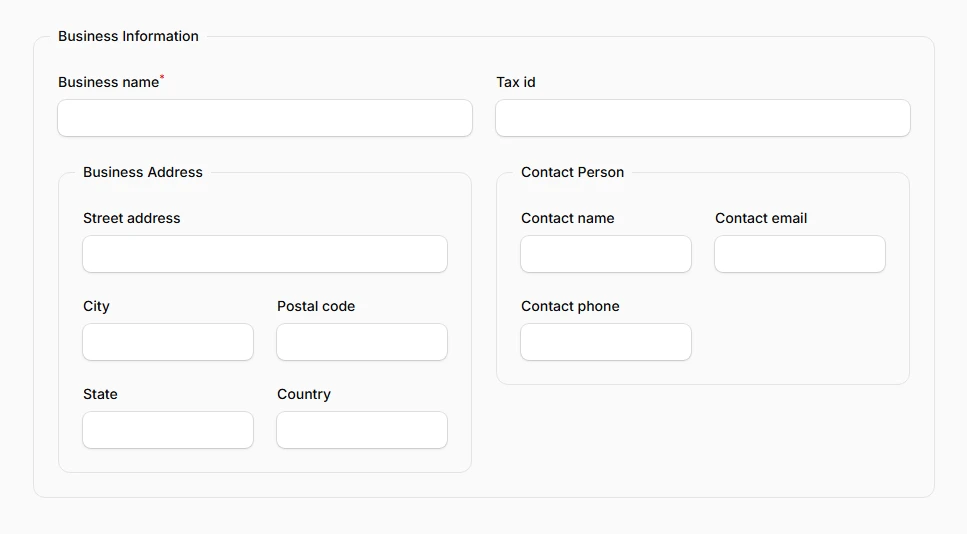
Build complex hierarchical forms by nesting fieldsets within other fieldsets, enabling sophisticated data organization for multi-level relationships. Each nested fieldset maintains its own relationship binding and styling independence.
use Filament\Schema\Components\Fieldset;
use Filament\Forms\Components\TextInput;

Fieldset::make('Business Information')
    ->relationship('business')
    ->schema([
        TextInput::make('business_name')
            ->required(),
        TextInput::make('tax_id'),

        Fieldset::make('Business Address')
            ->relationship('address')
            ->columns(2)
            ->schema([
                TextInput::make('street_address')
                    ->columnSpanFull(),
                TextInput::make('city'),
                TextInput::make('postal_code'),
                TextInput::make('state'),
                TextInput::make('country'),
            ]),

        Fieldset::make('Contact Person')
            ->relationship('primaryContact')
            ->schema([
                TextInput::make('contact_name'),
                TextInput::make('contact_email')
                    ->email(),
                TextInput::make('contact_phone'),
            ]),
    ])