
TextArea Fields
Multi-line text areas in Filament go far beyond basic HTML textareas, offering intelligent auto-sizing, robust validation, and seamless integration with Livewire's reactive capabilities. From simple comment boxes to sophisticated content editors, these components provide developers with powerful tools for capturing and managing multi-line text input while maintaining excellent user experience across all device sizes.
# Basic multi-line text input

The foundation of textarea functionality provides clean, accessible multi-line input with automatic label generation and standard field behaviors. Perfect for descriptions, comments, and any content requiring multiple lines. Supports all standard field methods including placeholders, helper text, and validation rules.
use Filament\Forms\Components\Textarea;

Textarea::make('description')
    ->label('Product Description')
    ->placeholder('Enter a detailed description of your product...')
    ->helperText('This description will be visible to customers on your product page.')
    ->required()
# Size control with rows and cols

Control the exact dimensions of your textarea using traditional rows and columns measurements. Essential for maintaining consistent form layouts and ensuring textareas fit perfectly within your design. Particularly useful for fixed-layout forms where visual consistency is paramount.
use Filament\Forms\Components\Textarea;

Textarea::make('notes')
    ->label('Additional Notes')
    ->rows(8)
    ->cols(50)
    ->placeholder('Add any additional notes here...')
# Auto-sizing functionality

Enable dynamic height adjustment that automatically expands and contracts based on content length. The textarea intelligently grows as users type more content and shrinks when content is removed, providing an optimal user experience without manual scrolling or size adjustment.
use Filament\Forms\Components\Textarea;

Textarea::make('feedback')
    ->label('Customer Feedback')
    ->autosize()
    ->placeholder('Share your thoughts and experiences...')
    ->helperText('This field will automatically expand as you type.')
# Length validation and constraints
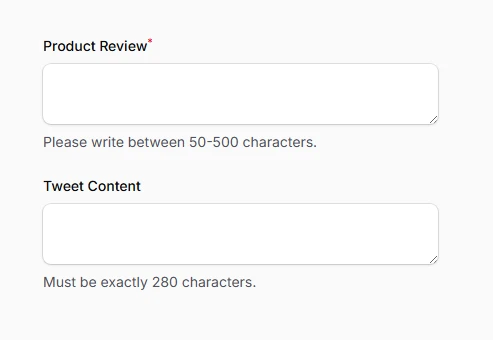
Implement comprehensive length validation with both frontend and backend enforcement. Set minimum requirements, maximum limits, or exact character counts to ensure data quality and consistency. Validation messages appear in real-time, guiding users toward acceptable input lengths.
use Filament\Forms\Components\Textarea;

// Minimum and maximum length constraints
Textarea::make('review')
    ->label('Product Review')
    ->minLength(50)
    ->maxLength(500)
    ->helperText('Please write between 50-500 characters.')
    ->required(),

// Exact length requirement
Textarea::make('tweet_content')
    ->label('Tweet Content')
    ->length(280)
    ->helperText('Must be exactly 280 characters.')
# Read-only state management
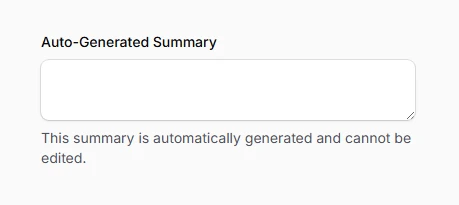
Transform textareas into non-editable display fields while preserving their value in form submissions. Unlike disabled fields, read-only textareas maintain focus capabilities and submit their values, making them perfect for displaying calculated content or showing data that shouldn't be modified.
use Filament\Forms\Components\Textarea;

Textarea::make('generated_summary')
    ->label('Auto-Generated Summary')
    ->readOnly()
    ->helperText('This summary is automatically generated and cannot be edited.')
    ->dehydrated(false) // Prevent submission if desired