
Widget Location
Transform your Filament applications from static admin panels into dynamic, data-driven dashboards by strategically placing widgets exactly where users need them most. Whether displaying real-time analytics on your main dashboard or contextual metrics within specific resource pages, Filament's flexible widget positioning system ensures critical information is always accessible without cluttering the interface.
# Dashboard Widgets
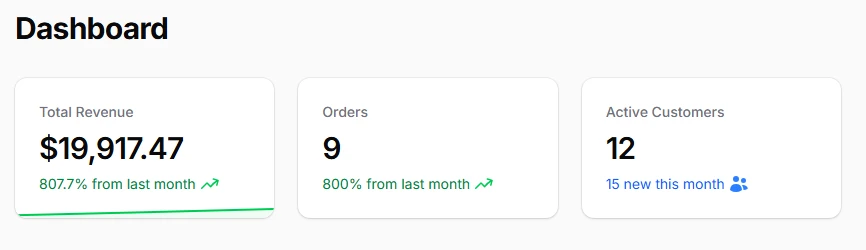
Position widgets on the main dashboard to provide comprehensive oversight of your application's key performance indicators. The dashboard serves as the primary landing page where users expect to see high-level metrics, trending data, and actionable insights at a glance.
class AdminPanelProvider extends PanelProvider
{
    public function panel(Panel $panel): Panel
    {
        return $panel
            // Auto discover widgets for dashboard in a given path
            ->discoverWidgets(in: app_path('Filament/Widgets'), for: 'App\Filament\Widgets')
            // Or add widgets by class from a different location
            ->widgets([
            ])
# Resource Widgets
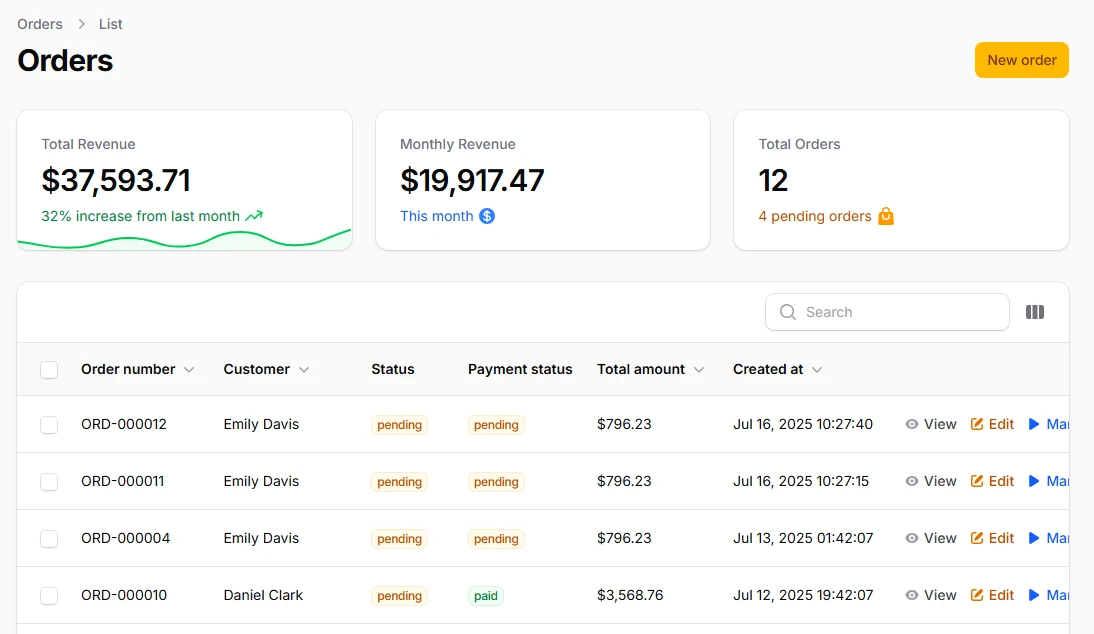
Display context-specific analytics above resource tables and forms to provide immediate insights related to the current data set. Header widgets are perfect for showing summary statistics, quick filters, or actionable metrics that directly relate to the resource being viewed.
class ListOrders extends ListRecords
{
    protected function getHeaderWidgets(): array
    {
        return [
            EcommerceStatsOverview::class
        ];
    }