
Simple Data Tables
Simple Data Tables are the quickest way to display records in Filament, featuring sortable columns, built-in pagination, and search functionality out of the box. Perfect for basic CRUD use cases, they require minimal setup while delivering a polished user experience. Ideal for listing users, orders, or any standard resource.
# Simple table with text columns
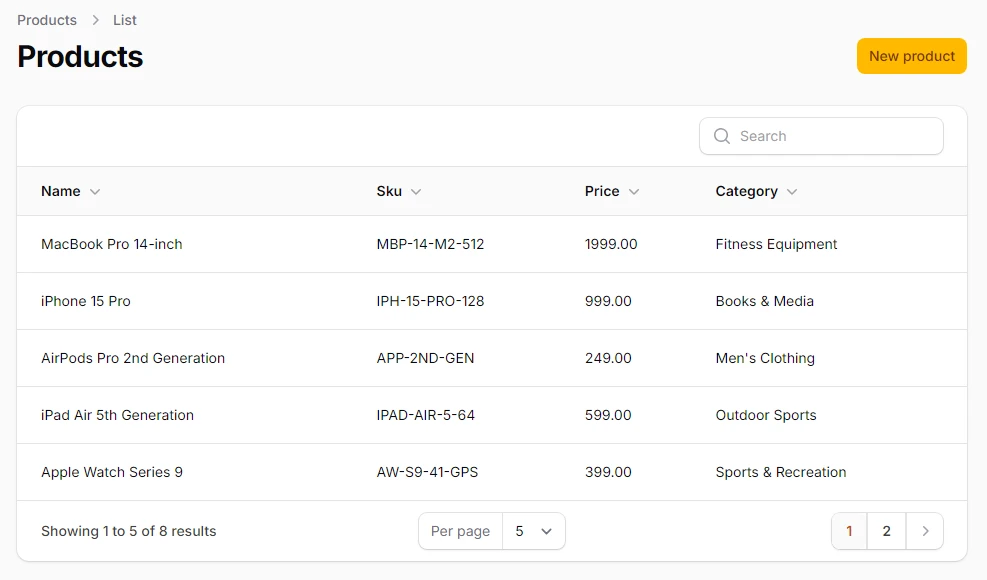
Clean, sortable table showcasing fundamental use of TextColumn in Filament. Includes searchable fields for quick filtering and demonstrates linking related model fields like category.name. Ideal starting point for any CRUD resource.
<?php

namespace App\Filament\Resources\Products\Tables;

use Filament\Tables\Columns\TextColumn;
use Filament\Tables\Table;

class ProductsTable
{
    public static function configure(Table $table): Table
    {
        return $table
            ->columns([

                TextColumn::make('name')
                    ->searchable()  // makes the column searchable
                    ->sortable(),  // makes the column sortable by its name

                TextColumn::make('sku')
                    ->searchable()
                    ->sortable(),

                TextColumn::make('price')
                    ->sortable(),

                TextColumn::make('category.name')
                    ->label('Category')  // changes the column label from a default one
                    ->sortable(),

            ]);
    }
}
# Default pagination
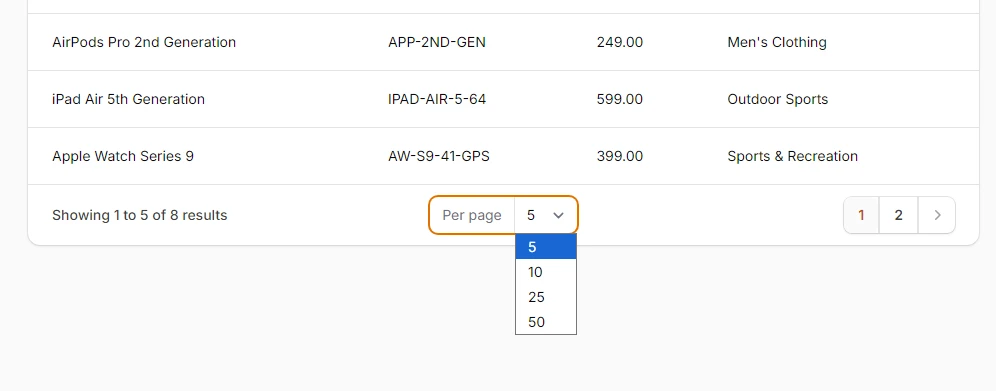
Filament’s out-of-the-box pagination with page numbers and navigation controls. Automatically added to most tables, it keeps large datasets manageable and improves performance without extra configuration.
<?php

namespace App\Filament\Resources\Products\Tables;

use Filament\Tables\Columns\TextColumn;
use Filament\Tables\Table;

class ProductsTable
{
    public static function configure(Table $table): Table
    {
        return $table
            ->columns([
                //...
            ])
            ->paginated();  // optional method, set to [5, 10, 25, 50] by default
    }
}
# Custom pagination

Adds a page size dropdown so users can control how many records appear per page — 10, 25, 50, 100, or all at once. Ideal for power users managing large data sets with flexibility.
<?php

namespace App\Filament\Resources\Products\Tables;

use Filament\Tables\Columns\TextColumn;
use Filament\Tables\Table;

class ProductsTable
{
    public static function configure(Table $table): Table
    {
        return $table
            ->columns([
                //...
            ])
            ->paginated([10, 25, 50, 100, 'all']);  // records per page
    }
}
# Set default records per page
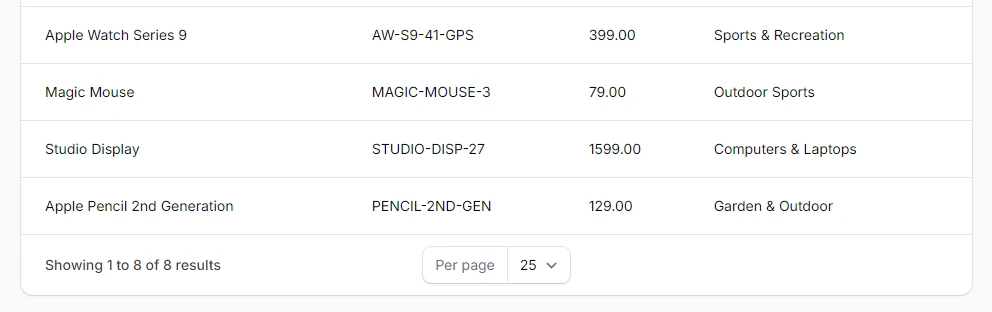
Demonstrates how to pre-select 25 rows per page as the default view, offering a balance between visibility and performance. Ideal for customizing user experience in data-heavy interfaces.
<?php

namespace App\Filament\Resources\Products\Tables;

use Filament\Tables\Columns\TextColumn;
use Filament\Tables\Table;

class ProductsTable
{
    public static function configure(Table $table): Table
    {
        return $table
            ->columns([
                //...
            ])
            ->paginated([10, 25, 50, 100, 'all'])
            ->defaultPaginationPageOption(25);
    }
}
# Simple pagination
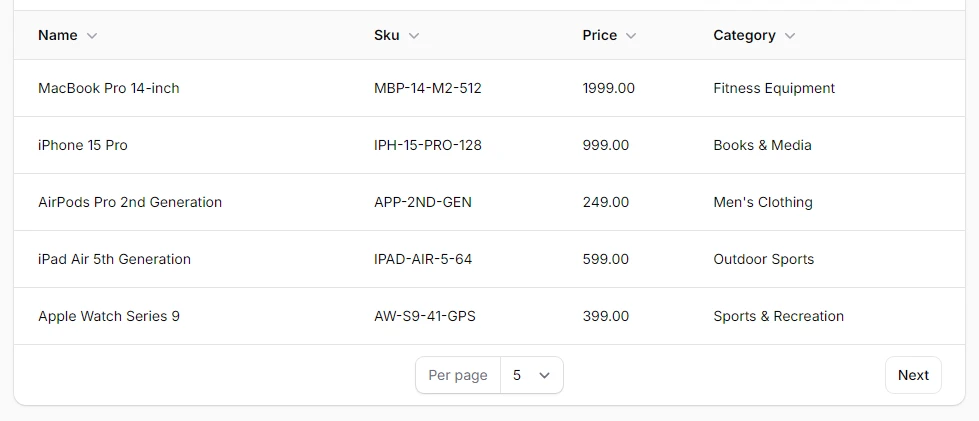
Switches to a minimal pagination UI with just “Previous” and “Next” buttons — no page numbers. Ideal for mobile views or scenarios where simplicity and focus are key.
<?php

namespace App\Filament\Resources\Products\Tables;

use Filament\Tables\Columns\TextColumn;
use Filament\Tables\Enums\PaginationMode;
use Filament\Tables\Table;

class ProductsTable
{
    public static function configure(Table $table): Table
    {
        return $table
            ->columns([
                //...
            ])
            ->paginationMode(PaginationMode::Simple);
    }
}
# Disabled pagination
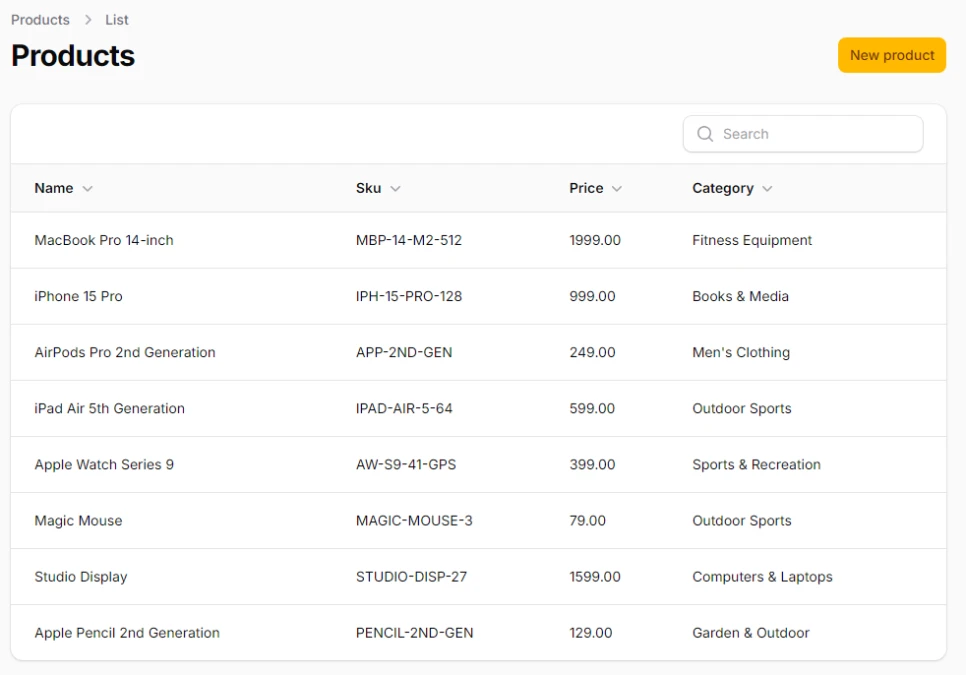
Turns off pagination entirely, rendering all records in a single continuous table. Best used for small datasets or internal tools where full visibility is more important than performance.
<?php

namespace App\Filament\Resources\Products\Tables;

use Filament\Tables\Columns\TextColumn;
use Filament\Tables\Table;

class ProductsTable
{
    public static function configure(Table $table): Table
    {
        return $table
            ->columns([
                //...
            ])
            ->paginated(false);
    }
}
# Orderable records
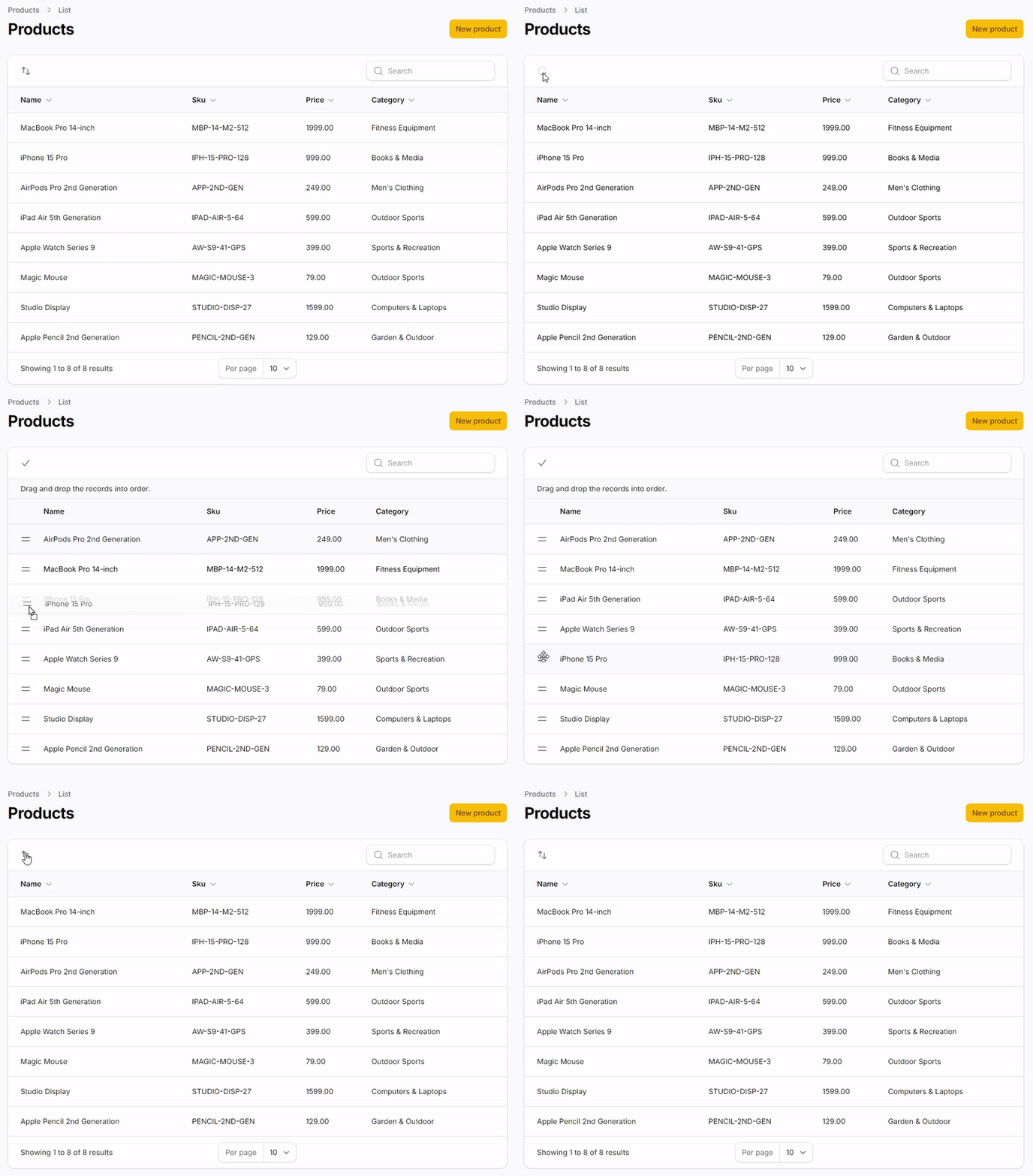
Enables drag-and-drop reordering of table rows, with positions saved to the sort column in the database. Ideal for managing custom display orders in menus, categories, or featured items.
<?php

namespace App\Filament\Resources\Products\Tables;

use Filament\Tables\Columns\TextColumn;
use Filament\Tables\Table;

class ProductsTable
{
    public static function configure(Table $table): Table
    {
        return $table
            ->columns([
                //...
            ])
            ->reorderable('sort_order');
    }
}