
Text Entry
Transform raw data into beautifully formatted, interactive text displays that enhance user comprehension and provide meaningful visual context. From simple string presentation to sophisticated badge systems, list formatting, and interactive elements, Text Entry components serve as the foundation for creating informative, scannable interfaces that communicate data effectively across your application.
# Basic text display and state management
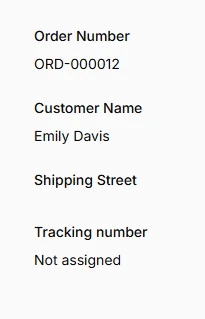
Display simple text values from your Eloquent models using dot notation for relationships and JSON attributes. Text entries automatically handle null states, empty values, and provide flexible state customization through callbacks for dynamic content generation.
use Filament\Infolists\Components\TextEntry;

TextEntry::make('order_number')
    ->label('Order Number')
    ->copyable(),

TextEntry::make('customer.full_name')
    ->label('Customer Name'),

TextEntry::make('shipping_address.street')
    ->label('Shipping Street'),

TextEntry::make('tracking_number')
    ->state(fn ($record) => $record->tracking_number ?? 'Not assigned')
    ->default('Tracking pending')
    ->placeholder('No tracking number'),
# Badge styling with dynamic colors
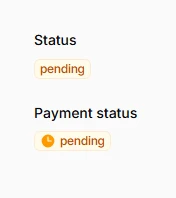
Transform plain text into visually distinctive badges with contextual colors that communicate status, priority, or category information at a glance. The badge system supports dynamic color mapping and custom styling based on data values.
TextEntry::make('status')
    ->badge()
    ->color(fn ($record) => $record->status_color),

TextEntry::make('payment_status')
    ->badge()
    ->color(fn ($record) => $record->payment_status_color)
    ->icon(fn (string $state): string => match ($state) {
        'paid' => 'heroicon-m-check-circle',
        'pending' => 'heroicon-m-clock',
        'failed' => 'heroicon-m-x-circle',
        default => 'heroicon-m-question-mark-circle',
    }),
# List formatting and display options
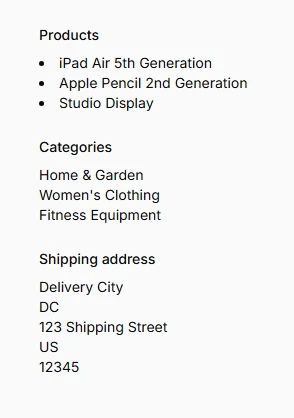
Present multiple related values in organized, readable formats using line breaks, bullet points, and expandable lists. These features excel at displaying relationship data, tag collections, and array attributes with professional formatting.
TextEntry::make('orderItems.product.name')
    ->label('Products')
    ->listWithLineBreaks()
    ->bulleted()
    ->limitList(5)
    ->expandableLimitedList(),

TextEntry::make('orderItems.product.category.name')
    ->label('Categories')
    ->listWithLineBreaks()
    ->limitList(3, fn ($count) => "and {$count} more categories..."),

TextEntry::make('shipping_address')
    ->formatStateUsing(fn ($state) => collect($state)->filter()->join(', '))
    ->separator(',')
    ->listWithLineBreaks(),
# Date and time formatting with tooltips
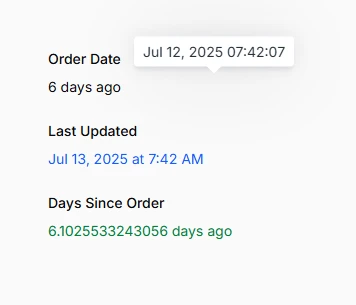
Format temporal data using multiple presentation styles from human-readable relative times to precise timestamps. The tooltip system provides additional context without cluttering the primary display.
TextEntry::make('created_at')
    ->label('Order Date')
    ->since()
    ->dateTimeTooltip(),

TextEntry::make('updated_at')
    ->label('Last Updated')
    ->dateTime('M j, Y \a\t g:i A')
    ->color('info'),

TextEntry::make('created_at')
    ->label('Days Since Order')
    ->formatStateUsing(fn ($state) => $state->diffInDays(now()) . ' days ago')
    ->color(fn ($state) => $state->diffInDays(now()) > 30 ? 'warning' : 'success'),
# Numeric formatting
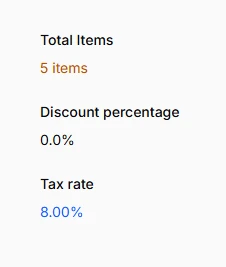
Display numerical data with proper formatting, decimal control, and number presentation. Perfect for inventory counts, percentages, ratings, and any quantitative information requiring precise formatting.
TextEntry::make('orderItems.quantity')
    ->label('Total Items')
    ->state(fn ($record) => $record->orderItems->sum('quantity'))
    ->numeric()
    ->suffix(' items')
    ->color(fn ($state): string => $state > 10 ? 'success' : 'warning'),

TextEntry::make('discount_percentage')
    ->state(fn ($record) => $record->discount_amount / $record->subtotal * 100)
    ->numeric(decimalPlaces: 1)
    ->suffix('%'),

TextEntry::make('tax_rate')
    ->state(fn ($record) => $record->tax_amount / $record->subtotal * 100)
    ->numeric(decimalPlaces: 2)
    ->suffix('%')
    ->color('info'),
# Money formatting with currency support
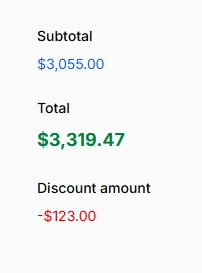
Present monetary values with proper currency symbols, decimal handling, and international formatting. The system supports currency conversion, cent-to-dollar conversion, and locale-specific monetary display standards.
TextEntry::make('subtotal')
    ->money('USD')
    ->color('info'),

TextEntry::make('total_amount')
    ->label('Total')
    ->money('USD')
    ->size(TextEntrySize::Large)
    ->weight('bold')
    ->color('success'),

TextEntry::make('discount_amount')
    ->money('USD')
    ->color('danger')
    ->prefix('-')
    ->visible(fn ($record) => $record->discount_amount > 0),
# HTML and Markdown rendering
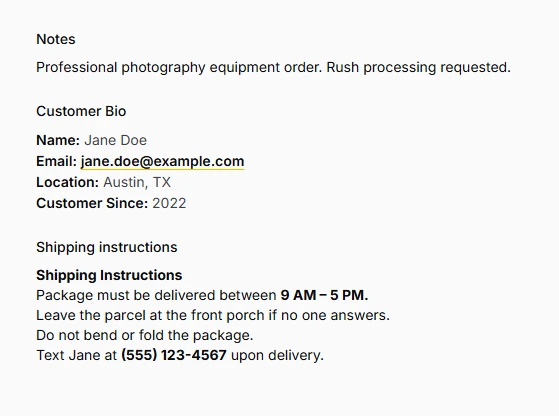
Safely render rich content including HTML markup and Markdown formatting with built-in sanitization to prevent XSS attacks. Perfect for displaying user-generated content, formatted descriptions, and rich text fields.
TextEntry::make('notes')
    ->html()
    ->lineClamp(3)
    ->placeholder('No notes added'),

TextEntry::make('customer.bio')
    ->label('Customer Bio')
    ->markdown()
    ->prose(),

TextEntry::make('shipping_instructions')
    ->html(),
# Icons with flexible positioning
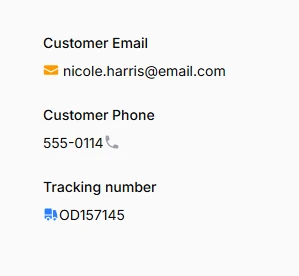
Enhance text entries with contextual icons positioned before or after content. Icons support dynamic selection based on data values and custom colors that complement or contrast with text styling.
TextEntry::make('customer.email')
    ->label('Customer Email')
    ->icon('heroicon-m-envelope')
    ->iconPosition(IconPosition::Before)
    ->iconColor('primary')
    ->copyable(),

TextEntry::make('customer.phone')
    ->label('Customer Phone')
    ->icon('heroicon-m-phone')
    ->iconPosition(IconPosition::After)
    ->url(fn ($state) => "tel:{$state}"),

TextEntry::make('tracking_number')
    ->icon('heroicon-m-truck')
    ->iconColor('info')
    ->url(fn ($state) => "https://tracking.example.com/{$state}")
    ->openUrlInNewTab()
    ->visible(fn ($record) => !empty($record->tracking_number)),
# Size and weight customization
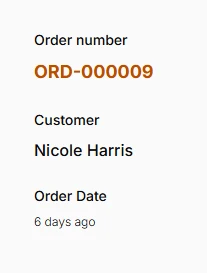
Control typography hierarchy and visual emphasis using size options and font weights. These styling options help establish information hierarchy and draw attention to critical data points.
TextEntry::make('order_number')
    ->size('lg')
    ->weight('bold')
    ->color('primary'),

TextEntry::make('customer.full_name')
    ->label('Customer')
    ->size('md')
    ->weight('medium')
    ->color('gray'),

TextEntry::make('created_at')
    ->label('Order Date')
    ->size('xs')
    ->weight('light')
    ->since(),
# Separators for tags and collections
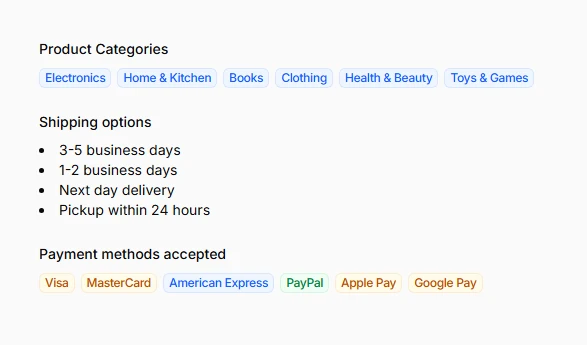
Convert delimited strings into visually distinct elements like badges or formatted lists. This feature excels at transforming CSV data, tag strings, and other concatenated values into readable, actionable components.
TextEntry::make('orderItems.product.categories')
    ->label('Product Categories')
    ->separator(',')
    ->badge()
    ->color('info'),

TextEntry::make('shipping_options')
    ->separator('|')
    ->listWithLineBreaks()
    ->bulleted(),

TextEntry::make('payment_methods_accepted')
    ->separator(',')
    ->badge()
    ->color(fn (): string => fake()->randomElement(['success', 'info', 'warning'])),
# Content management and truncation
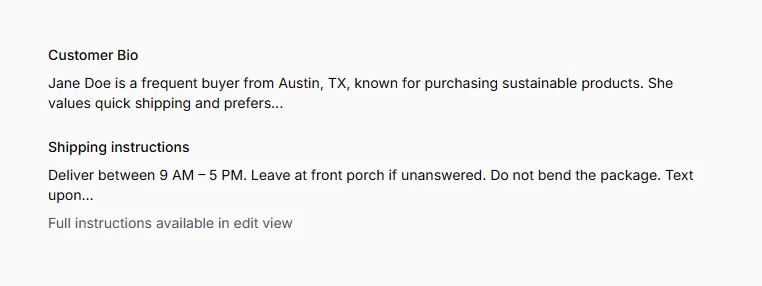
Handle long content gracefully using truncation, and expandable sections. These features maintain clean layouts while providing access to complete information when needed.
TextEntry::make('customer.bio')
    ->label('Customer Bio')
    ->words(20)
    ->tooltip(fn ($state) => $state),

TextEntry::make('shipping_instructions')
    ->limit(100)
    ->helperText('Full instructions available in edit view'),