
Wizard Components
Breaking down complex forms into manageable, sequential steps transforms overwhelming user experiences into guided journeys. Filament's wizard components provide powerful tools for creating multi-step forms with built-in validation, progress indicators, and flexible navigation patterns. Whether you're building user onboarding flows, order processes, or multi-stage data collection forms, wizards help users focus on one section at a time while maintaining clear progress through the entire process.
# Basic Multi-step Form Setup
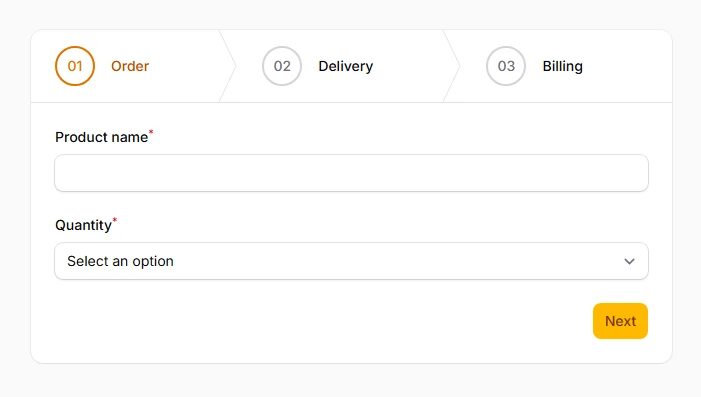
Create sequential form sections that guide users through a logical progression of data entry. Each step validates independently, ensuring data quality at every stage while preventing users from advancing until current requirements are met.
use Filament\Schemas\Components\Wizard;
use Filament\Schemas\Components\Wizard\Step;

Wizard::make([
    Step::make('Order')
        ->schema([
            TextInput::make('product_name')
                ->required(),
            Select::make('quantity')
                ->options([1, 2, 3, 4, 5])
                ->required(),
        ]),
    Step::make('Delivery')
        ->schema([
            TextInput::make('shipping_address')
                ->required(),
            DatePicker::make('delivery_date'),
        ]),
    Step::make('Billing')
        ->schema([
            TextInput::make('billing_address'),
            Select::make('payment_method')
                ->options([
                    'card' => 'Credit Card',
                    'paypal' => 'PayPal',
                ])
                ->required(),
        ]),
])
# Step Labels and Descriptions
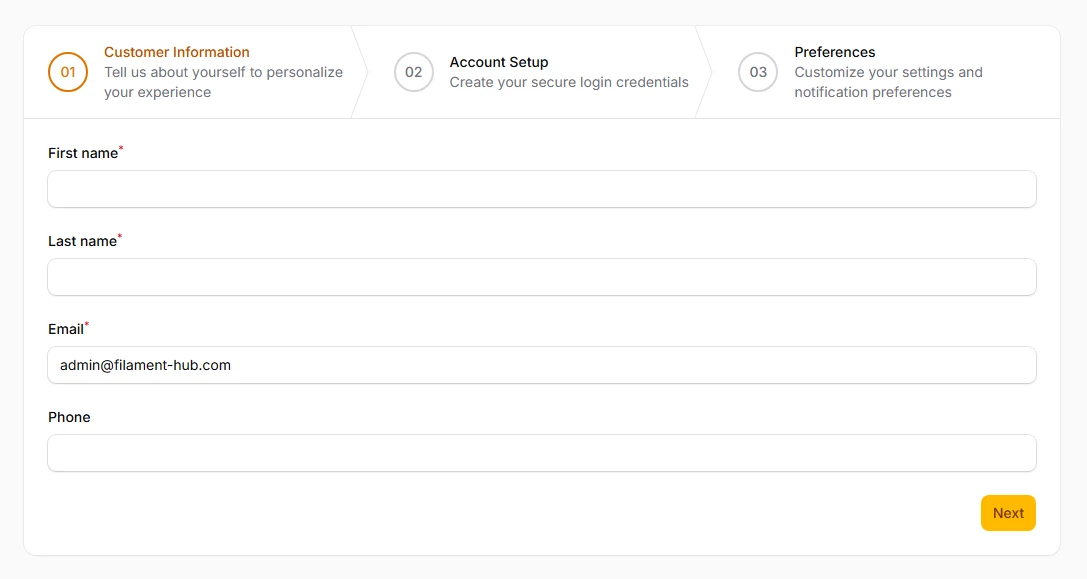
Add contextual information to each step with titles, descriptions, and helpful guidance text. Clear labeling helps users understand what they need to accomplish in each section and sets proper expectations for the data required.
Step::make('Customer Information')
    ->description('Tell us about yourself to personalize your experience')
    ->schema([
        TextInput::make('first_name')
            ->required(),
        TextInput::make('last_name')
            ->required(),
        TextInput::make('email')
            ->email()
            ->required(),
    ]),

Step::make('Preferences')
    ->description('Customize your settings and notification preferences')
    ->schema([
        Toggle::make('newsletter_subscription')
            ->label('Receive our weekly newsletter'),
        Select::make('communication_frequency')
            ->options([
                'daily' => 'Daily updates',
                'weekly' => 'Weekly digest',
                'monthly' => 'Monthly summary',
            ]),
    ])
# Step Icons and Visual Indicators
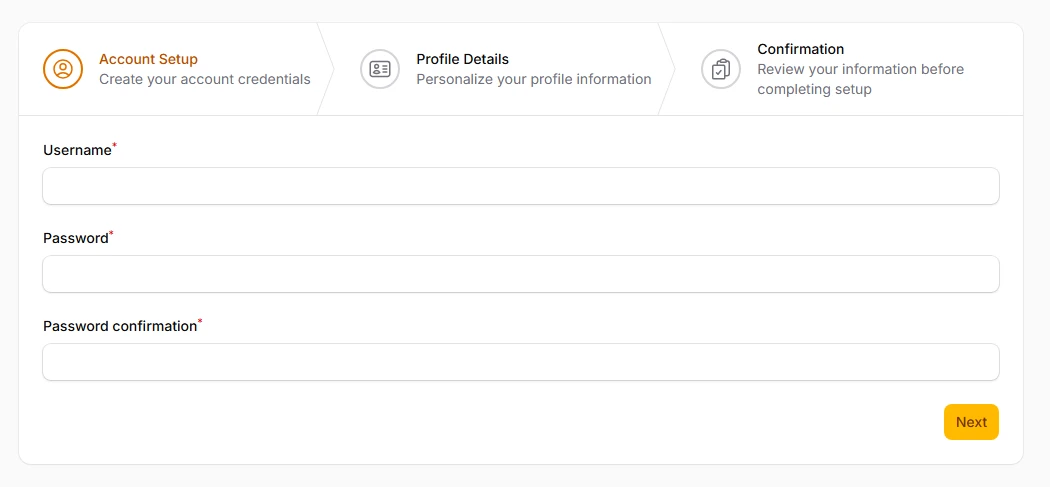
Enhance visual navigation with icons that represent each step's purpose and completion status. Icons provide immediate visual context and help users quickly identify their current position in the process.
Step::make('Account Setup')
    ->icon('heroicon-o-user-circle')
    ->completedIcon('heroicon-o-check-circle')
    ->schema([
        TextInput::make('username')
            ->required(),
        TextInput::make('password')
            ->password()
            ->required(),
    ]),

Step::make('Profile Details')
    ->icon('heroicon-o-identification')
    ->completedIcon('heroicon-o-check-badge')
    ->schema([
        FileUpload::make('avatar')
            ->image(),
        Textarea::make('bio')
            ->maxLength(500),
    ]),

Step::make('Confirmation')
    ->icon('heroicon-o-clipboard-document-check')
    ->completedIcon('heroicon-o-hand-thumb-up')
    ->schema([
        Placeholder::make('review')
            ->content('Please review your information before submitting.'),
    ])
# Action Button Customization
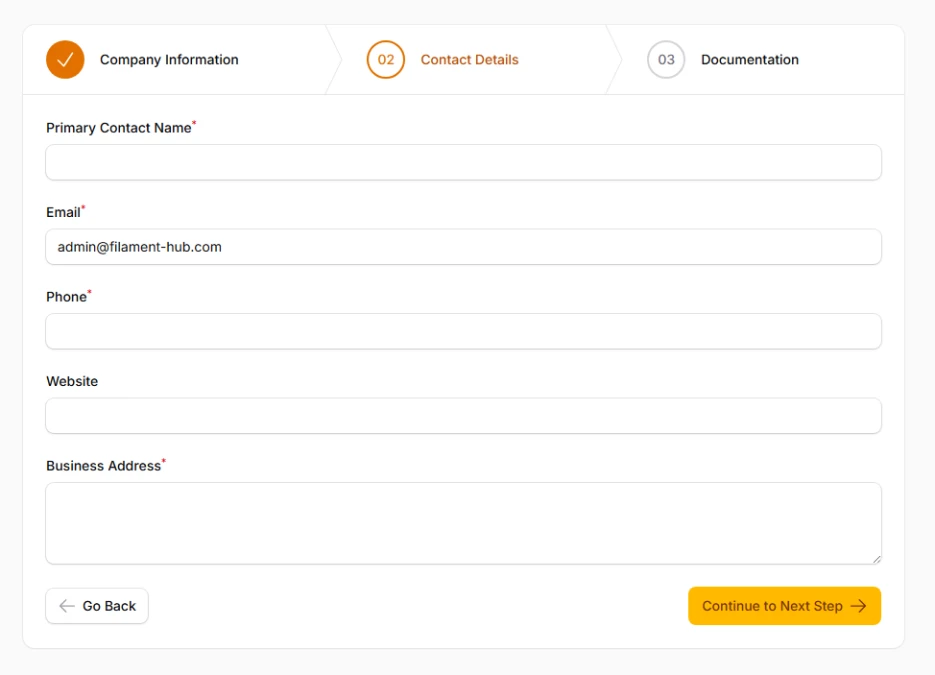
Personalize navigation buttons with custom labels, icons, colors, and behavior. Consistent button styling across your wizard creates a cohesive user experience and reinforces your brand identity.
Wizard::make([/* steps */])
    ->nextAction(
        fn (Action $action) => $action
            ->label('Continue to Next Step')
            ->color('primary')
            ->icon('heroicon-o-arrow-right')
            ->iconPosition('after')
            ->size('lg')
    )
    ->previousAction(
        fn (Action $action) => $action
            ->label('Go Back')
            ->color('gray')
            ->icon('heroicon-o-arrow-left')
            ->outlined()
    )