
File Upload Fields
Transform your forms with FilePond-powered file uploads that handle everything from simple document uploads to sophisticated image editing workflows. Filament's file upload components provide drag-and-drop functionality, real-time previews, automatic image optimization, and seamless integration with cloud storage services. Whether you need basic file collection or advanced media management with cropping tools, these components deliver a professional upload experience that works beautifully across all devices.
# Basic single file upload
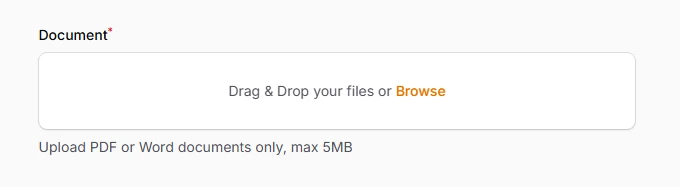
The foundation of file handling in Filament, supporting any file type with comprehensive validation options. Perfect for document uploads, attachments, and general file collection with automatic MIME type detection and file size validation.
use Filament\Forms\Components\FileUpload;

FileUpload::make('document')
    ->acceptedFileTypes(['application/pdf', 'application/msword'])
    ->maxSize(5120) // 5MB limit
    ->required()
    ->helperText('Upload PDF or Word documents only, max 5MB')
# Multiple file uploads with reordering
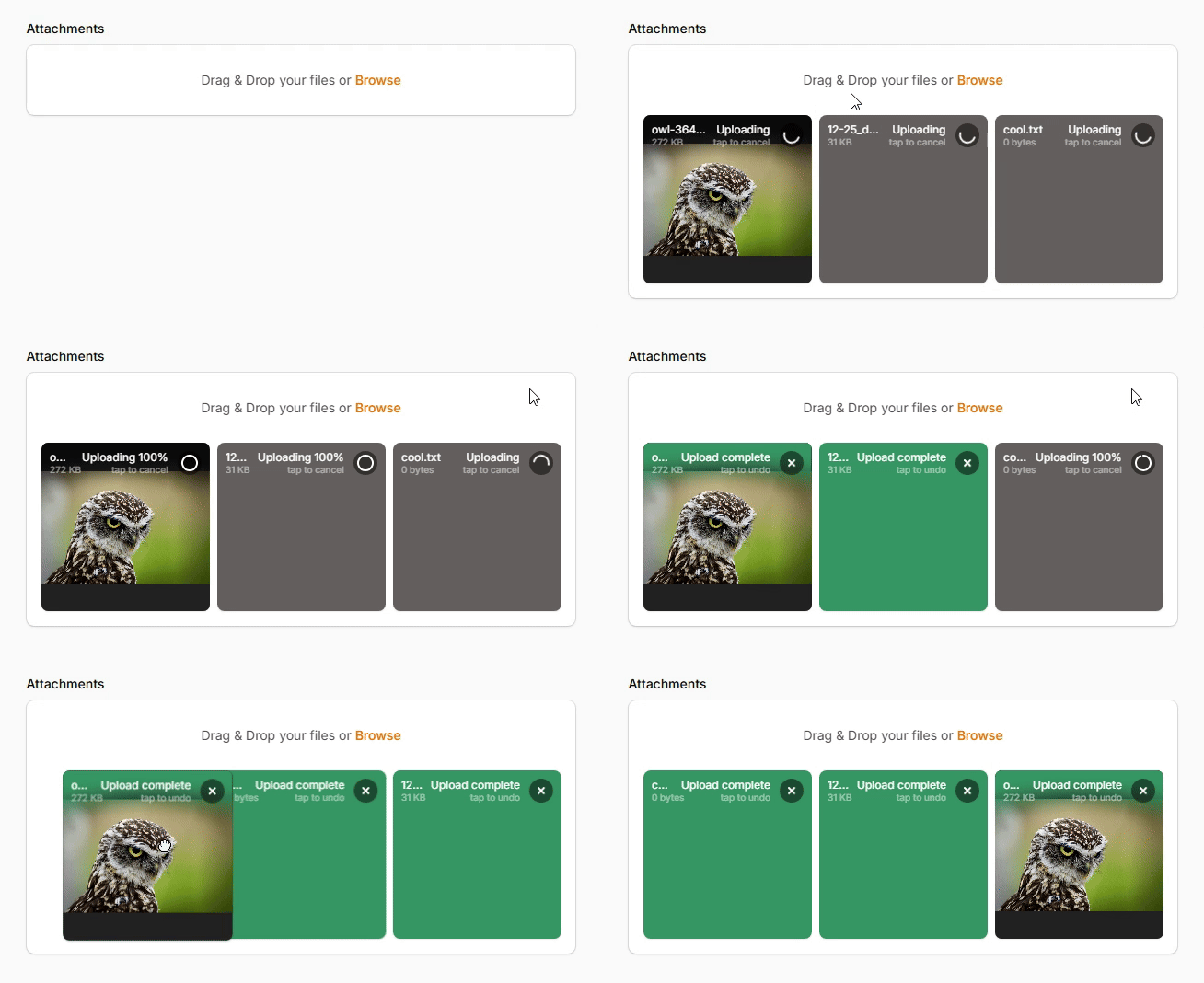
Enable bulk file uploads with intuitive drag-and-drop reordering functionality. Users can upload multiple files simultaneously and reorganize them by dragging, perfect for galleries, document collections, or any scenario requiring file sequence management.
use Filament\Forms\Components\FileUpload;

FileUpload::make('attachments')
    ->multiple()
    ->reorderable()
    ->maxFiles(10)
    ->appendFiles() // Add new files to existing ones
    ->panelLayout('grid') // Display files in grid layout
    ->uploadingMessage('Uploading files...')
# Image editor integration
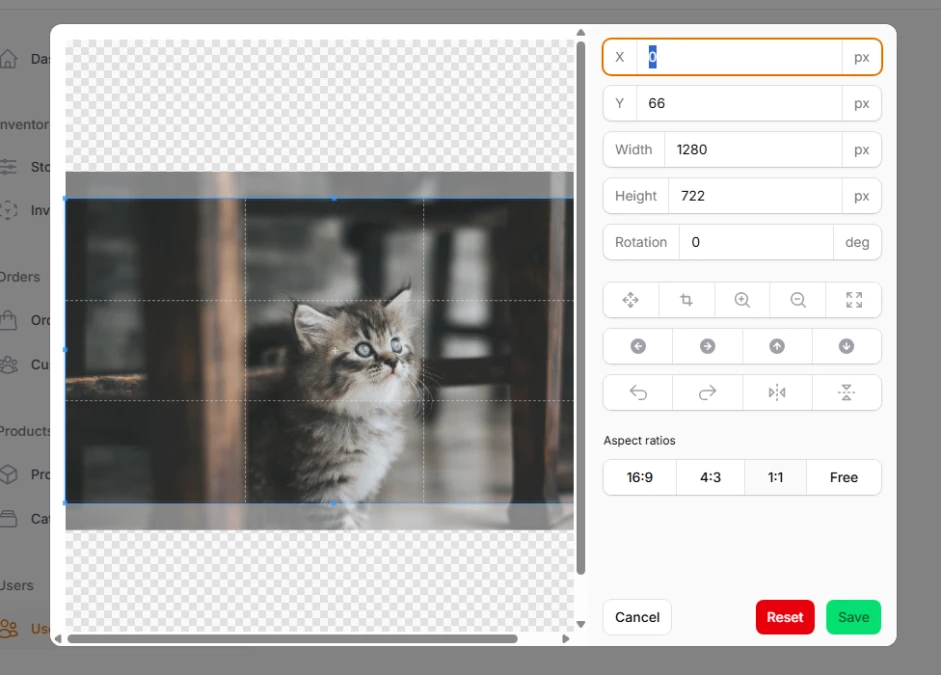
Built-in cropping and editing capabilities powered by modern web technologies. Users can crop images to specific aspect ratios, resize for optimal performance, and make basic adjustments without leaving your form interface.
use Filament\Forms\Components\FileUpload;

FileUpload::make('featured_image')
    ->image()
    ->imageEditor()
    ->imageEditorAspectRatios([
        '16:9',
        '4:3',
        '1:1',
        null, // Free cropping
    ])
    ->imageEditorMode(2) // Crop mode
    ->imageResizeTargetWidth('1920')
    ->imageResizeTargetHeight('1080')
# Avatar upload (circular)

Compact circular upload interface designed specifically for profile pictures and avatars. Features automatic circular cropping, optimized sizing, and a clean interface that fits perfectly in user profile forms.
use Filament\Forms\Components\FileUpload;

FileUpload::make('avatar')
    ->avatar()
    ->image()
    ->imageEditor()
    ->circleCropper()
    ->directory('avatars')
    ->visibility('public')
    ->maxSize(2048) // 2MB limit for avatars