
Table Customization
Transform ordinary data tables into visually engaging interfaces through Filament's comprehensive customization system. From subtle striped rows that improve readability to dynamic conditional highlighting that draws attention to critical data, these features let you create tables that not only display information but communicate priority, status, and context at a glance. Whether you need professional loading states for async data or precisely controlled column widths for optimal content layout, Filament's table customization tools provide the flexibility to match your exact design requirements while maintaining excellent performance and accessibility.
# Striped rows for enhanced readability
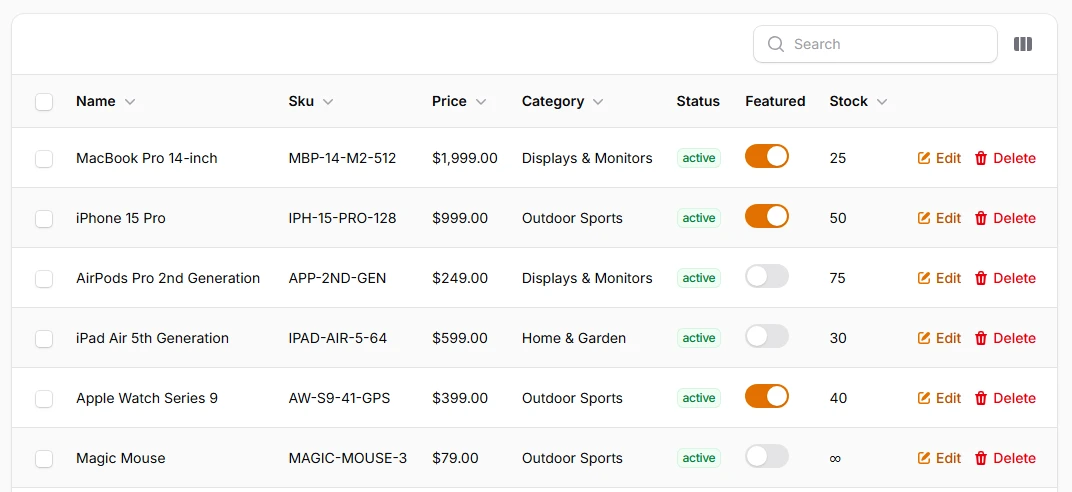
Improve table readability with alternating row colors that help users track data across columns, especially in wide tables with many fields. The striped pattern creates visual rhythm and reduces eye strain when scanning through large datasets, making it easier to follow individual records.
return $table
    ->striped()
    ->columns([
        // ...
    ]);
# Conditional row highlighting based on data
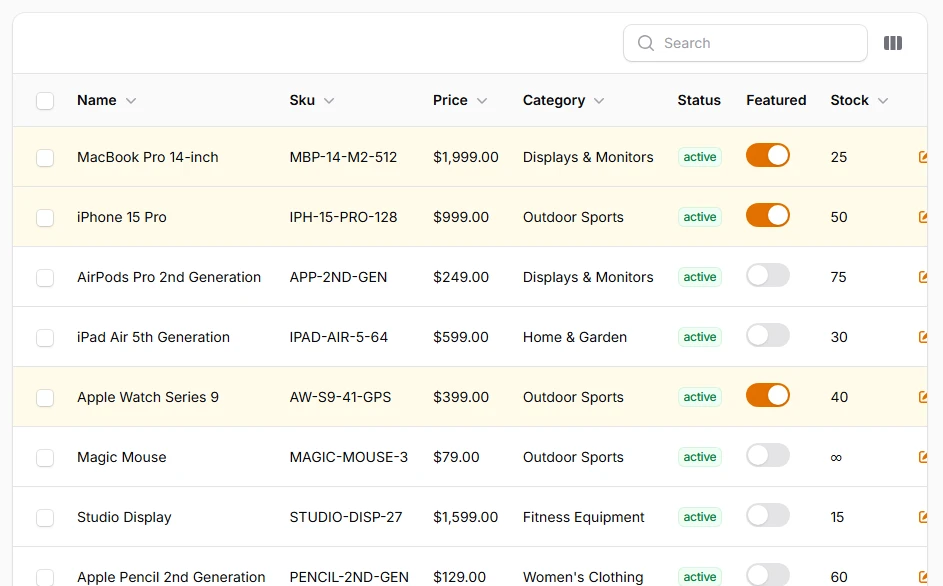
Apply dynamic row styling based on record data to instantly communicate status, priority, or conditions. Use conditional CSS classes to highlight overdue items, feature important records, or visually categorize data without requiring users to read every cell. Note that the Filament theme does not automatically include all Tailwind classes, so if you want to highlight rows, ensure that the theme includes all the necessary CSS classes.
return $table
    ->recordClasses(fn (Model $record) => match (true) {
        $record->featured => 'bg-primary-50',
        default => null,
    })
    ->columns([
        // ...
    ]);
# Custom table headers with descriptions
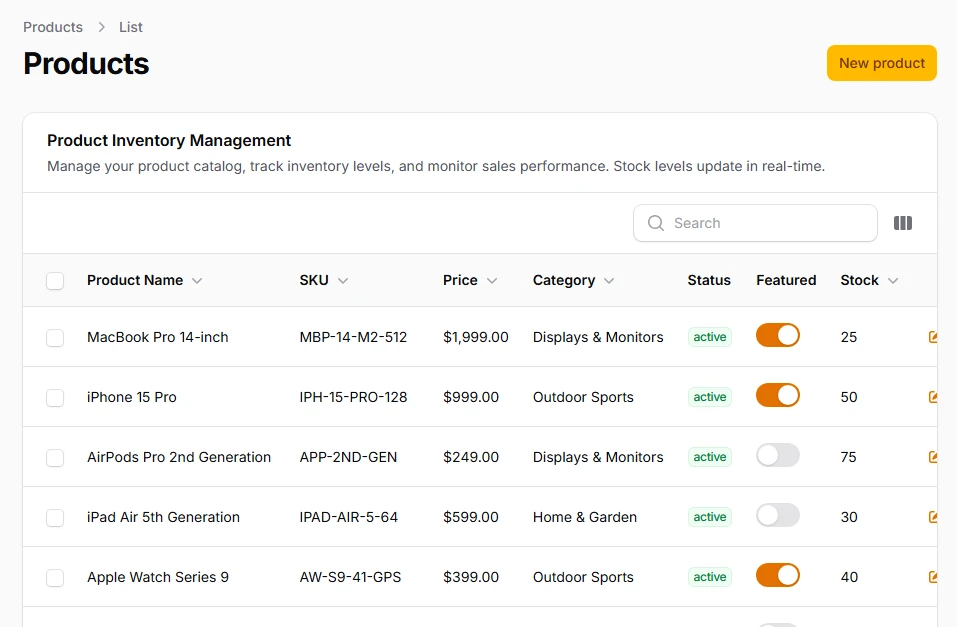
Create informative table headers with titles, descriptions, and help text that provide context without cluttering the interface. Perfect for explaining complex data structures or providing additional guidance to users about table contents and actions.
return $table
    ->heading('Product Inventory Management')
    ->description('Manage your product catalog, track inventory levels, and monitor sales performance. Stock levels update in real-time.')
    ->columns([
        // ...
    ]);
# Asynchronous loading with skeleton states
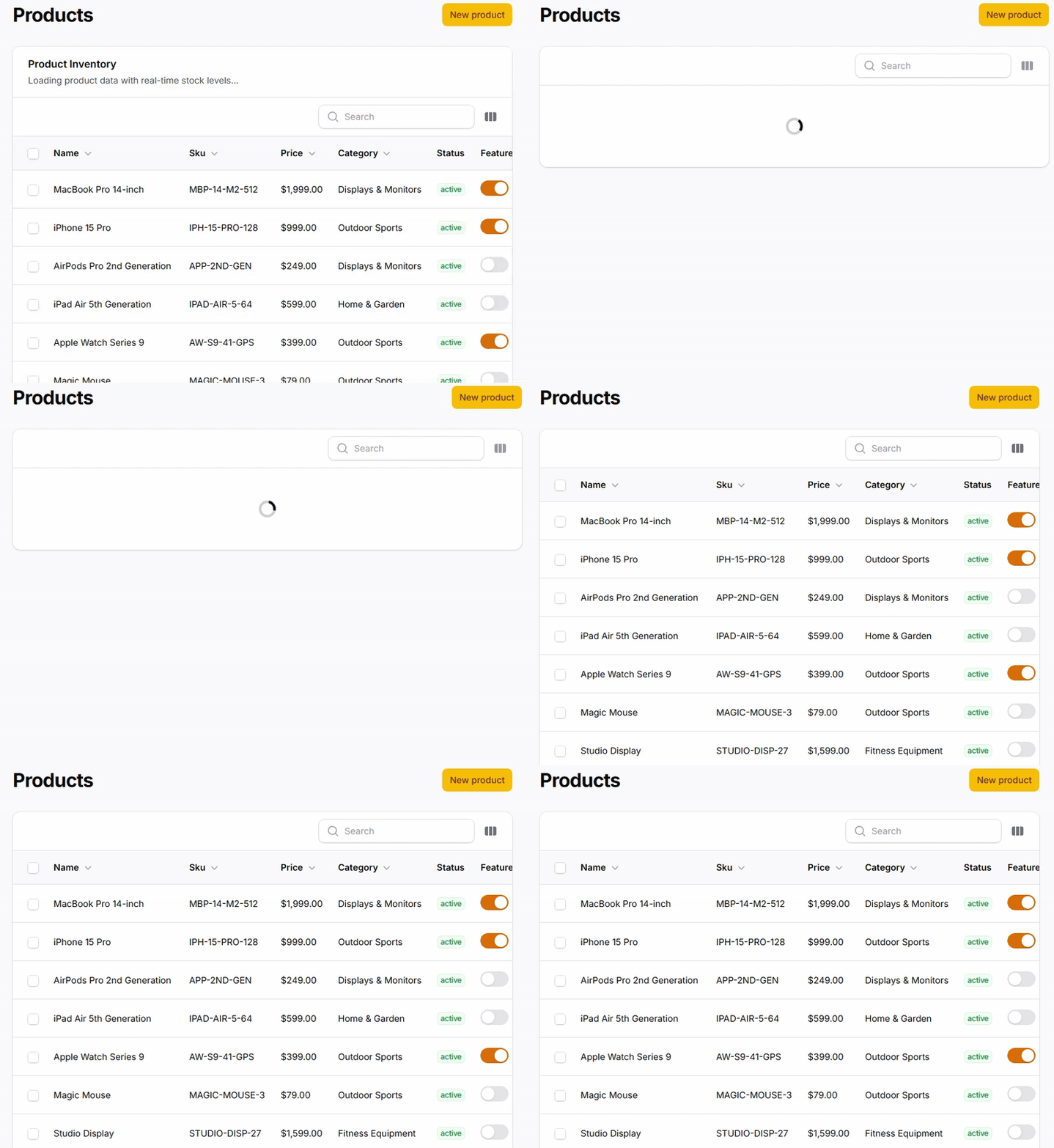
Implement professional loading experiences for tables with large datasets or external API calls. Deferred loading shows skeleton placeholders that maintain layout structure while data loads, preventing jarring content shifts and improving perceived performance.
return $table
    ->poll('30s') // Auto-refresh every 30 seconds for inventory updates
    ->deferLoading() // Asynchronous loading
    ->columns([
        // ...
    ]);