
Table Layouts
Transform your data tables from static displays into dynamic, user-controlled interfaces that adapt to individual workflows and preferences. Filament 4.x introduces powerful layout management features that let users customize their viewing experience through toggleable columns, drag-and-drop reordering, intelligent grouping, and comprehensive summary calculations.
# Toggleable columns
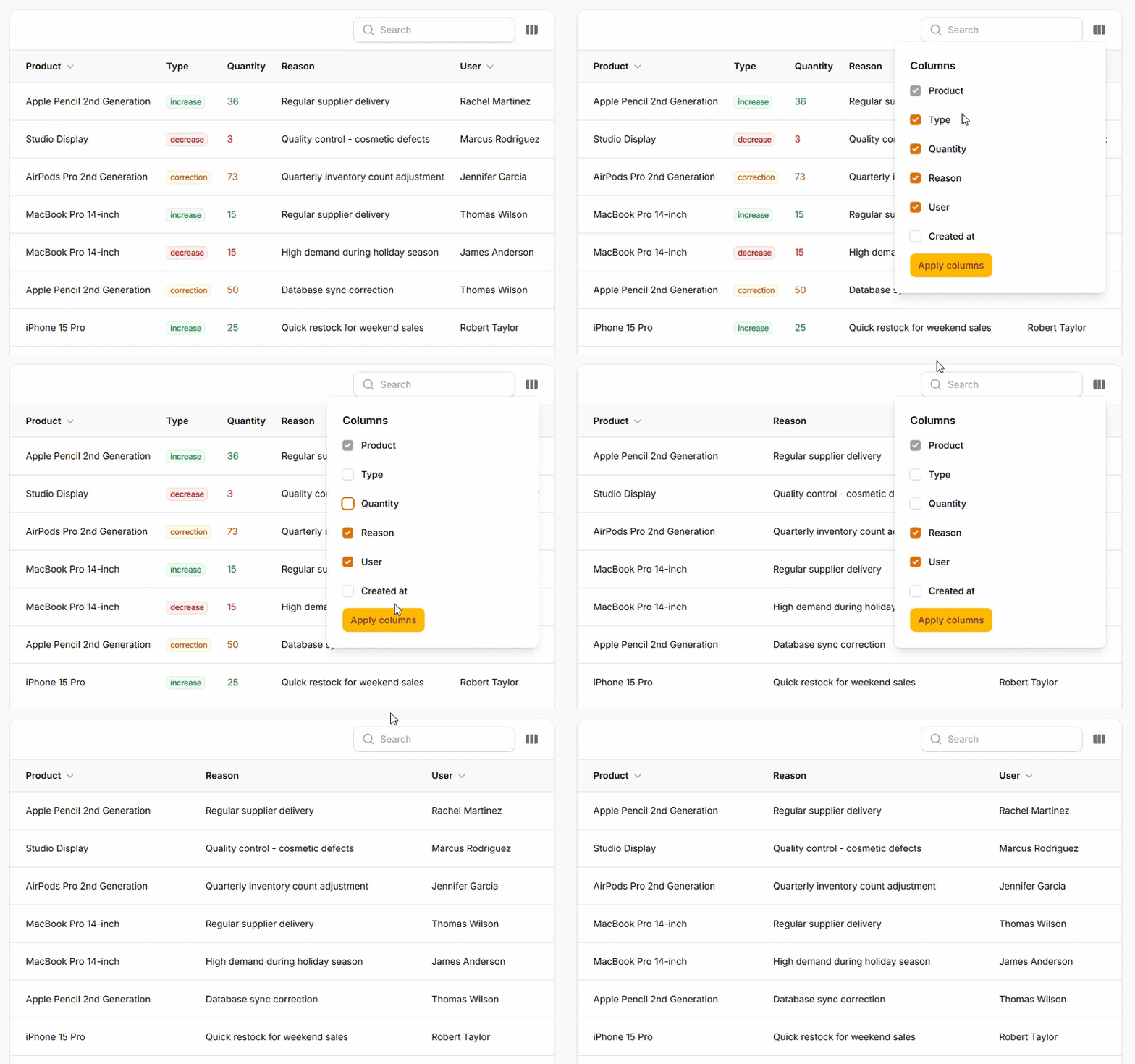
Let users show and hide columns based on their current needs and screen space. Perfect for creating personalized views that focus on relevant data while reducing visual clutter. Columns can be hidden by default and revealed when needed, or start visible and be optionally hidden.
return $table
    ->columns([
        TextColumn::make('product.name'),

        TextColumn::make('type'),

        TextColumn::make('quantity')
            ->toggleable(),

        TextColumn::make('reason')
            ->toggleable(),

        TextColumn::make('user.name')
            ->toggleable(),

        TextColumn::make('created_at')
            ->toggleable(isToggledHiddenByDefault: true),
    ]);
# Reorderable columns
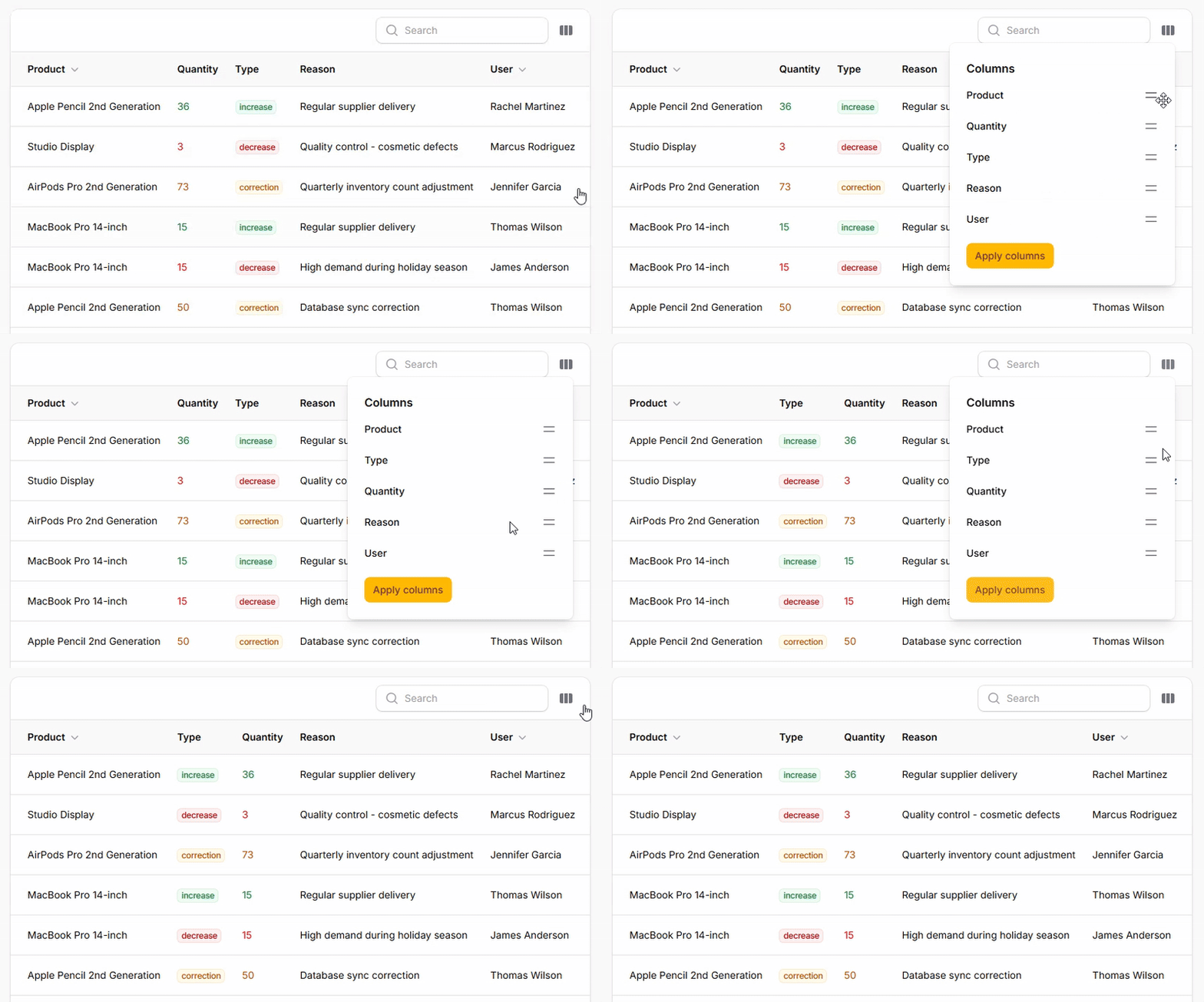
Enable drag-and-drop column reordering to let users arrange data in their preferred sequence. This powerful new feature in Filament 4.x gives users complete control over column positioning, making it easy to prioritize important information and create custom layouts.
return $table
    ->columns([
        // your column
    ])
    ->reorderableColumns()
    ->deferColumnManager(true); // Makes changes immediately when false
# Basic row grouping
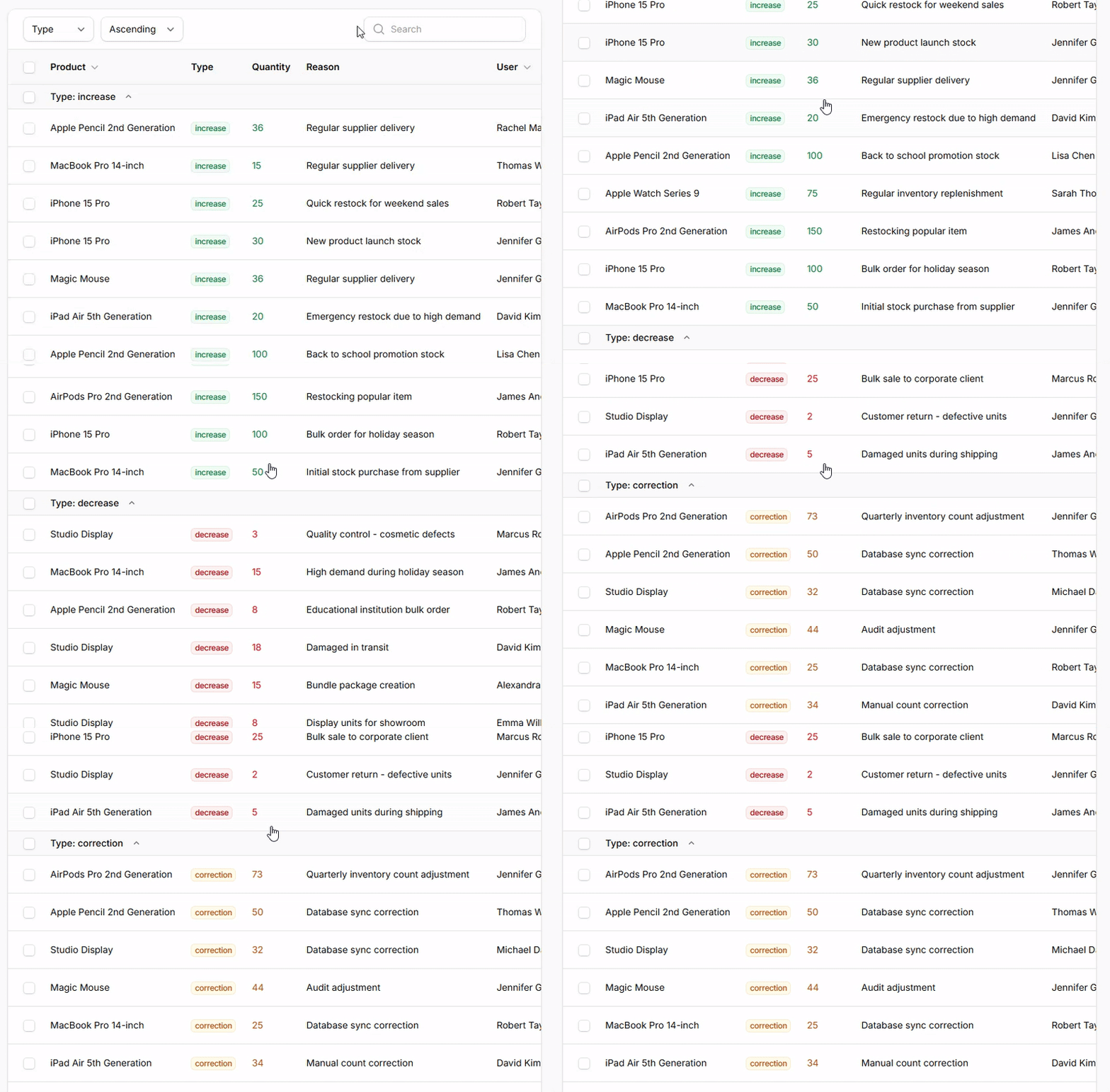
Organize large datasets by grouping rows under common attributes. Essential for making sense of extensive data by creating logical sections with collapsible headers. Users can focus on specific groups while maintaining overview of the entire dataset.
return $table
    ->columns([
        // Your columns ...
    ])
    ->groups([
        Group::make('type')
            ->collapsible(),
    ])
    ->defaultGroup('type');
# Advanced grouping options
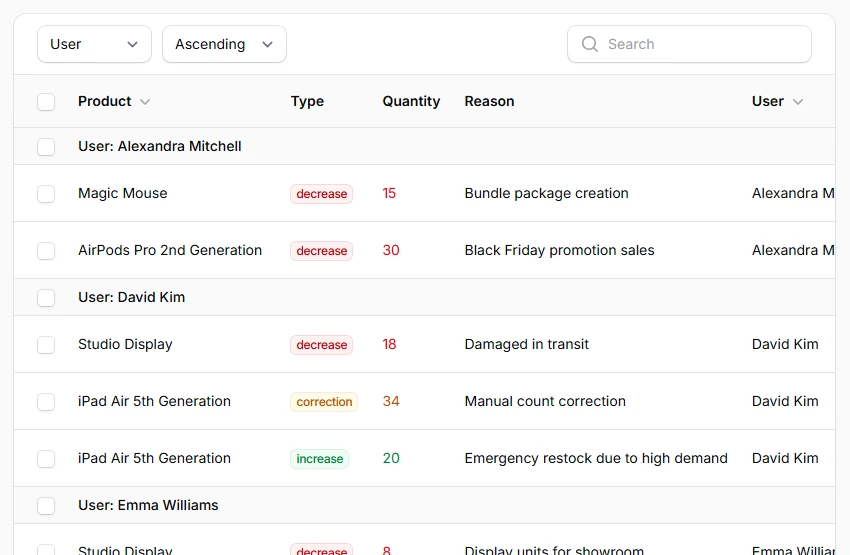
Provide multiple grouping strategies and work with relationships. Users can switch between different organizational schemes, including grouping by related model attributes using dot notation. Date columns can be grouped by date only, ignoring time components.
return $table
    ->columns([
        // Your columns ...
    ])
    ->groups([
        'type',
        'user.name',
        Group::make('created_at')
            ->date()
            ->collapsible(),
    ])
    ->defaultGroup('type');
# Table summaries
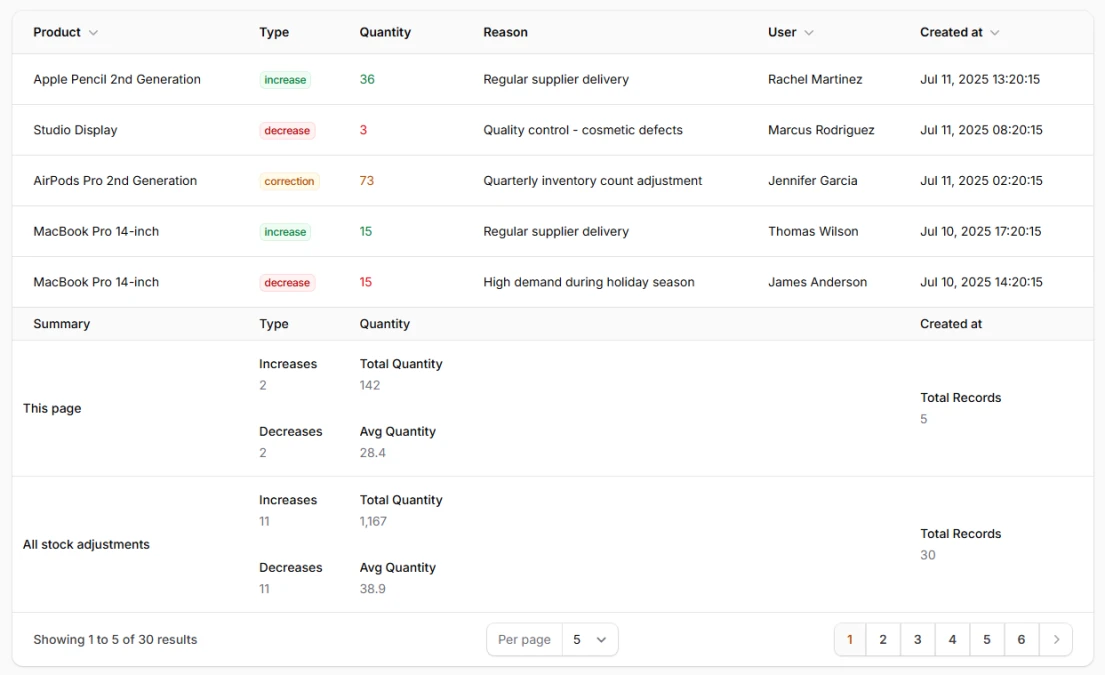
Display calculated totals, averages, and counts below your table data. Automatically shows summary rows for both current page data and overall totals when pagination is active. Multiple summarizers can be applied to the same column for comprehensive analysis.
return $table
    ->columns([
        TextColumn::make('product.name'),

        TextColumn::make('type')
            ->summarize([
                Count::make()->query(fn ($query) => $query->where('type', 'increase'))->label('Increases'),
                Count::make()->query(fn ($query) => $query->where('type', 'decrease'))->label('Decreases'),
            ]),

        TextColumn::make('quantity')
            ->summarize([
                Sum::make()->label('Total Quantity'),
                Average::make()->label('Avg Quantity'),
            ]),

        TextColumn::make('reason'),

        TextColumn::make('user.name'),

        TextColumn::make('created_at')
            ->summarize(Count::make()->label('Total Records')),
    ]);