Other Fields
Beyond the standard input types and file handling components, Filament provides a collection of specialized form fields that handle unique data types and interaction patterns. From color selection and code editing to tag management and slider controls, these fields enable rich user experiences that would typically require custom JavaScript implementations.
# Color picker for visual selection
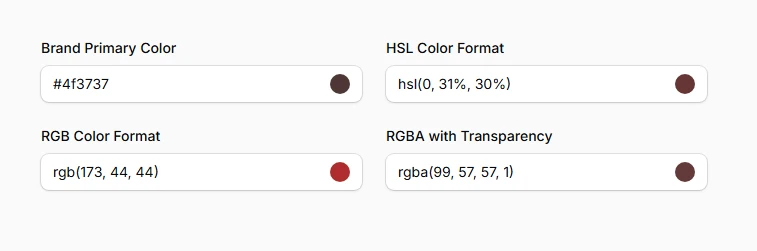
The ColorPicker component provides an intuitive interface for selecting colors across multiple formats. Whether you need HEX values for web development, RGB for digital design, or HSL for advanced color manipulation, this field handles format conversion automatically while providing a visual color wheel and palette selection.
use Filament\Forms\Components\ColorPicker;

ColorPicker::make('brand_color')
    ->label('Brand Primary Color'),

ColorPicker::make('hsl_color')
    ->hsl()
    ->label('HSL Color Format'),

ColorPicker::make('rgb_color')
    ->rgb()
    ->label('RGB Color Format'),

ColorPicker::make('rgba_color')
    ->rgba()
    ->label('RGBA with Transparency'),
# Tags input for flexible lists
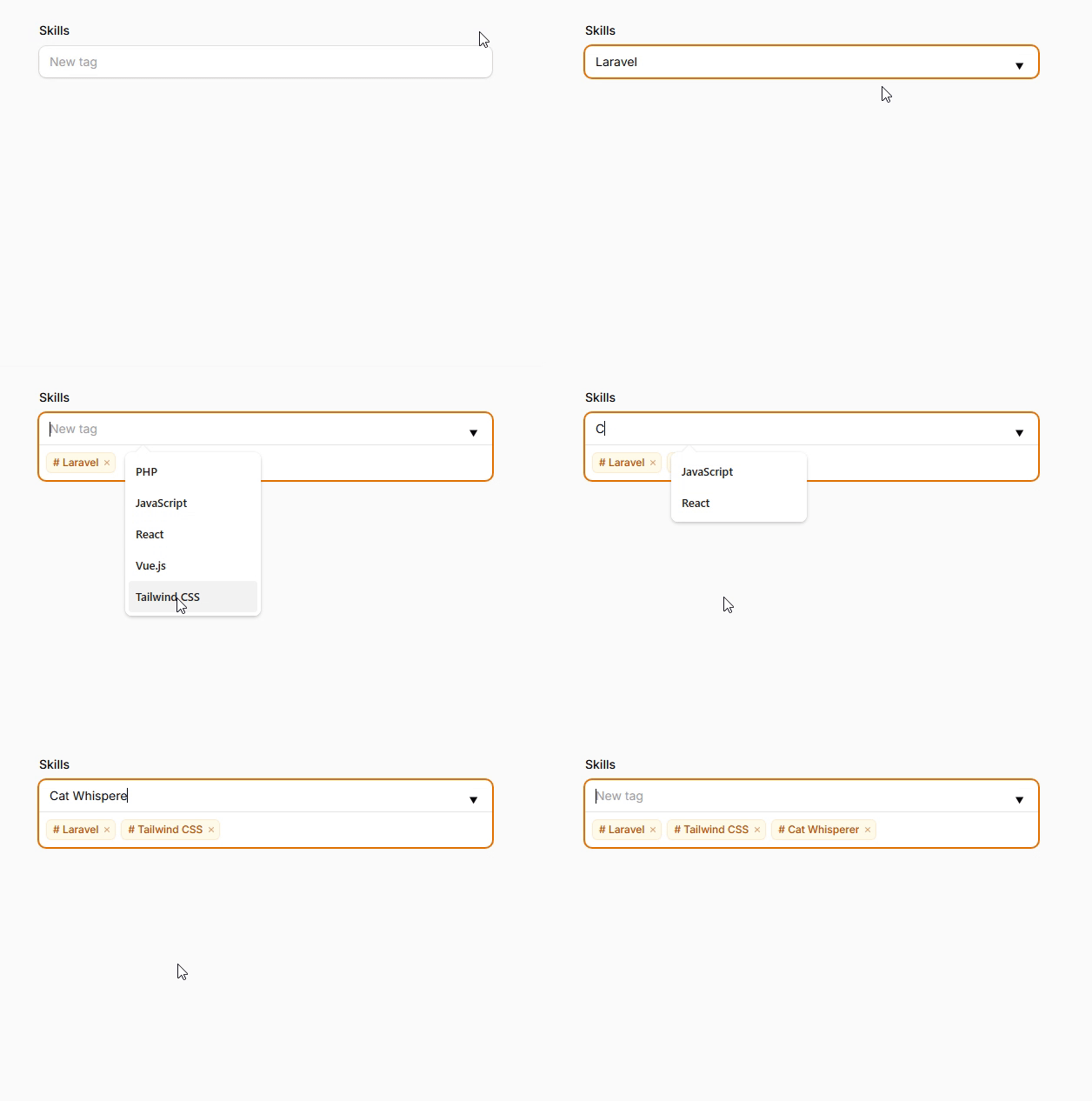
TagsInput transforms comma-separated strings into an interactive tag interface with autocomplete suggestions and visual tag bubbles. Perfect for category management, skill lists, or any scenario requiring dynamic collections of related terms with built-in validation per tag.
use Filament\Forms\Components\TagsInput;

TagsInput::make('skills')
    ->suggestions([
        'PHP', 'Laravel', 'JavaScript', 'React', 'Vue.js', 'Tailwind CSS'
    ])
    ->separator(',')
    ->tagPrefix('#')
    ->splitKeys(['Tab'])
    ->reorderable(),
# Key-value pairs for structured data
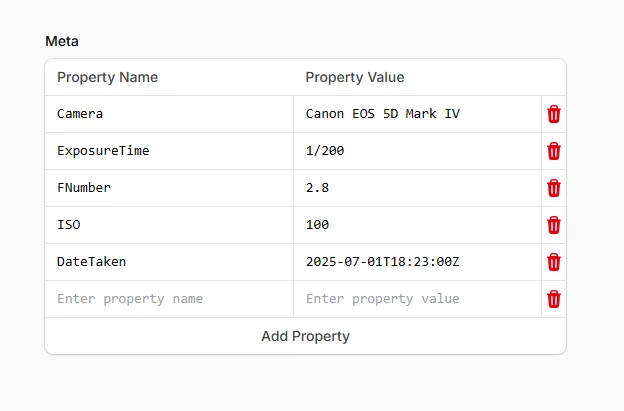
The KeyValue component enables editing of one-dimensional JSON objects through an intuitive key-value interface. Essential for metadata management, configuration settings, or custom properties where the structure isn't predetermined but needs visual organization.
use Filament\Forms\Components\KeyValue;

KeyValue::make('meta')
    ->keyLabel('Property Name')
    ->valueLabel('Property Value')
    ->keyPlaceholder('Enter property name')
    ->valuePlaceholder('Enter property value')
    ->addActionLabel('Add Property')
    ->deletable()
    ->editableKeys(),
# Slider for numeric ranges
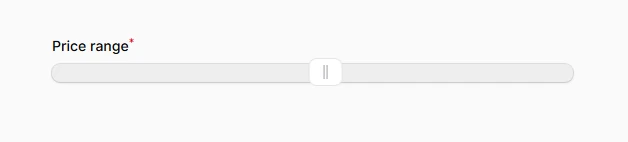
The Slider component leverages the noUiSlider library to provide smooth, touch-friendly numeric input through draggable handles. Ideal for price ranges, rating systems, percentage inputs, or any scenario requiring visual feedback for numeric selection within defined bounds.
use Filament\Forms\Components\Slider;

Slider::make('price_range')
    ->range(minValue: 0, maxValue: 1000)
    ->step(25),
# Code editor with syntax highlighting
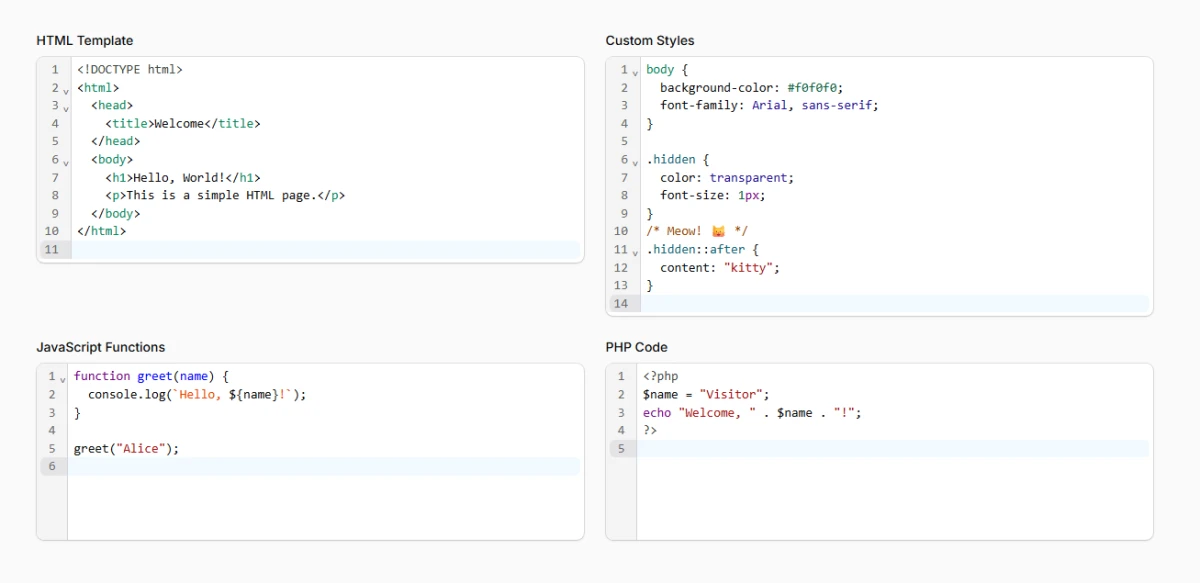
CodeEditor provides a full-featured code editing experience with syntax highlighting, line numbers, and bracket matching. Supporting HTML, CSS, JavaScript, PHP, and JSON, it's perfect for template editing, configuration files, or code snippet management within your application.
use Filament\Forms\Components\CodeEditor;
use Filament\Forms\Components\CodeEditor\Enums\Language;

CodeEditor::make('html_content')
    ->language(Language::Html)
    ->label('HTML Template'),

CodeEditor::make('css_styles')
    ->language(Language::Css)
    ->label('Custom Styles'),

CodeEditor::make('javascript_code')
    ->language(Language::JavaScript)
    ->label('JavaScript Functions'),

CodeEditor::make('php_snippet')
    ->language(Language::Php)
    ->label('PHP Code'),