
Select Fields
The select component transforms simple dropdown functionality into a powerful data selection interface with advanced features like searching, relationship handling, and dynamic option creation. From basic option lists to complex relationship selects with inline editing capabilities, Filament's select fields provide the flexibility needed for sophisticated form interactions while maintaining excellent user experience and accessibility.
# Basic options configuration
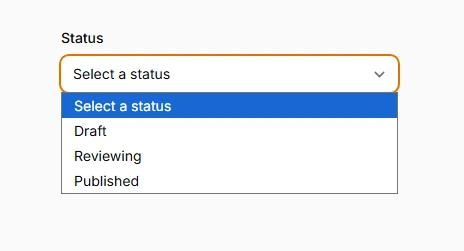
Define static option lists with key-value pairs for straightforward selection scenarios. The options method accepts an array where keys become the stored values and values become the display labels, providing clean separation between data and presentation.
use Filament\Forms\Components\Select;

Select::make('status')
    ->options([
        'draft' => 'Draft',
        'reviewing' => 'Reviewing',
        'published' => 'Published',
    ])
    ->placeholder('Select a status')
# Searchable selection interface
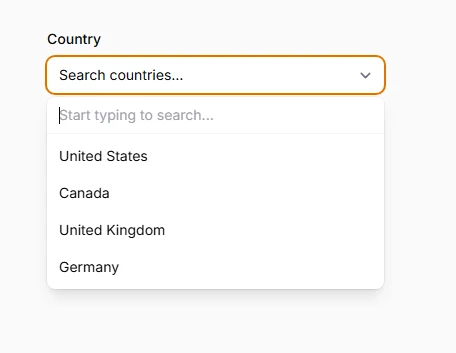
Enable real-time search functionality to help users quickly find options in large datasets. The searchable method transforms static dropdowns into dynamic interfaces that filter options as users type, dramatically improving usability for extensive option lists.
Select::make('country')
    ->options([
        'us' => 'United States',
        'ca' => 'Canada',
        'uk' => 'United Kingdom',
        'de' => 'Germany',
        // ... many more options
    ])
    ->searchable()
    ->placeholder('Search countries...')
# Multiple value selection
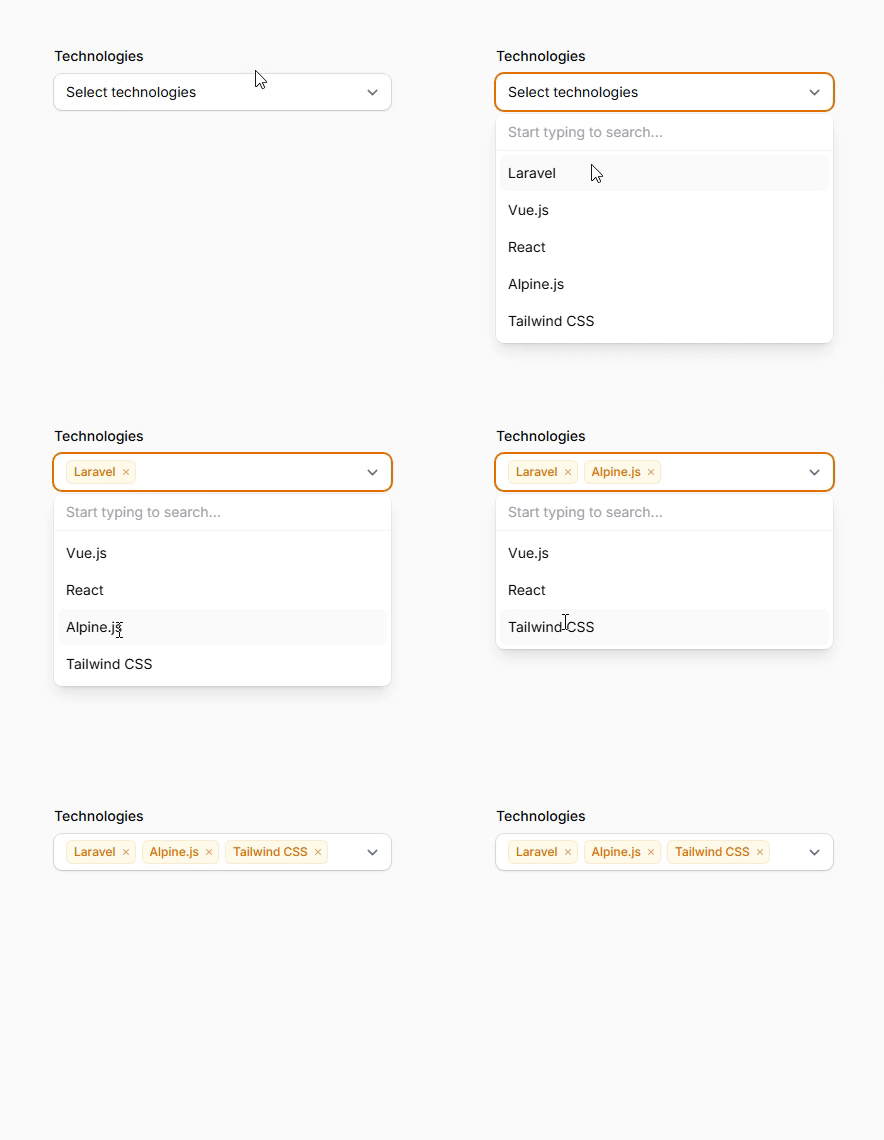
Allow users to select multiple options simultaneously using the multiple method. Perfect for tags, categories, or any scenario where users need to choose several related items from a predefined list.
Select::make('technologies')
    ->options([
        'laravel' => 'Laravel',
        'vue' => 'Vue.js',
        'react' => 'React',
        'alpine' => 'Alpine.js',
        'tailwind' => 'Tailwind CSS',
    ])
    ->multiple()
    ->searchable()
    ->placeholder('Select technologies')
# Relationship-based options
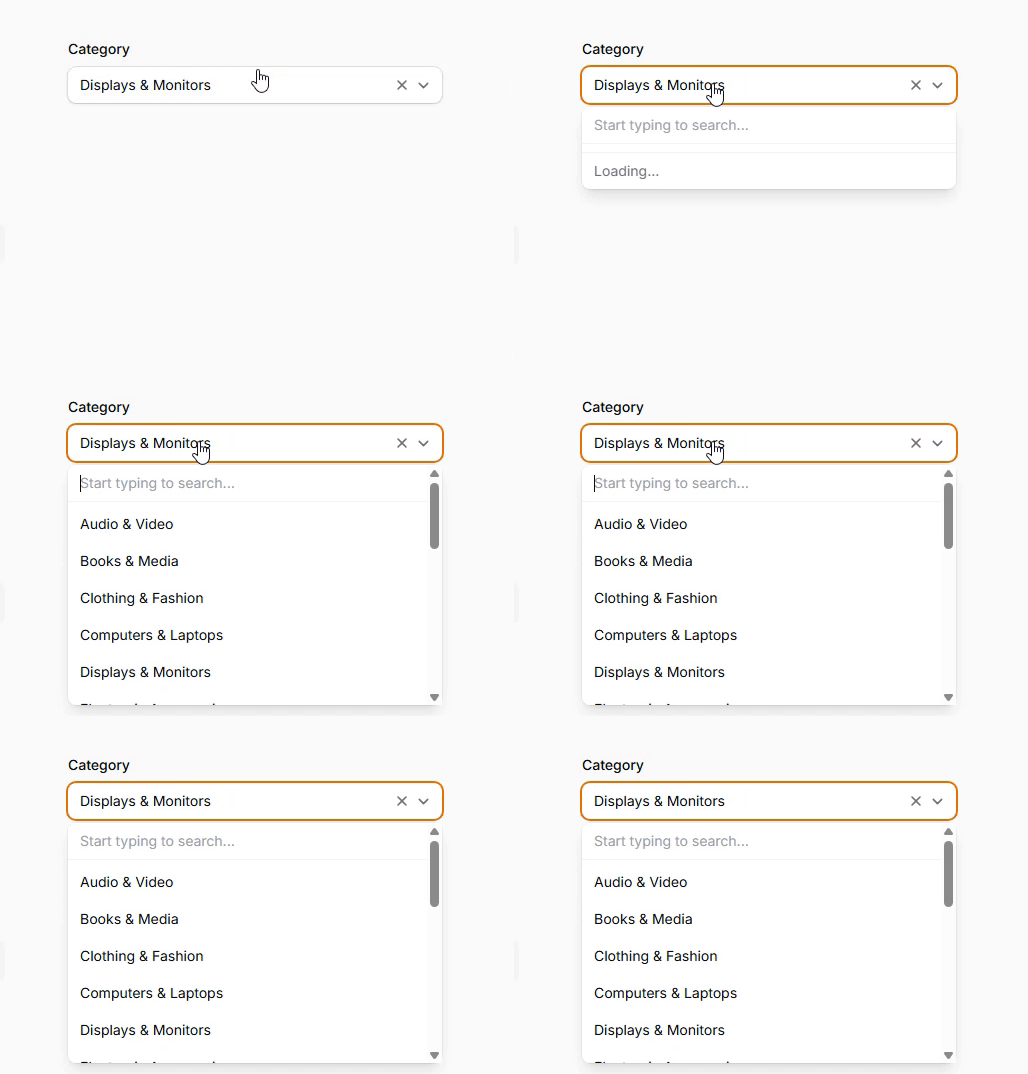
Automatically populate options from Eloquent relationships with dynamic loading and saving capabilities. Filament handles the complexity of loading related records and saving selections back to pivot tables or foreign key relationships.
Select::make('category_id')
    ->relationship(name: 'category', titleAttribute: 'name')
    ->searchable()
    ->preload()
# Inline option creation
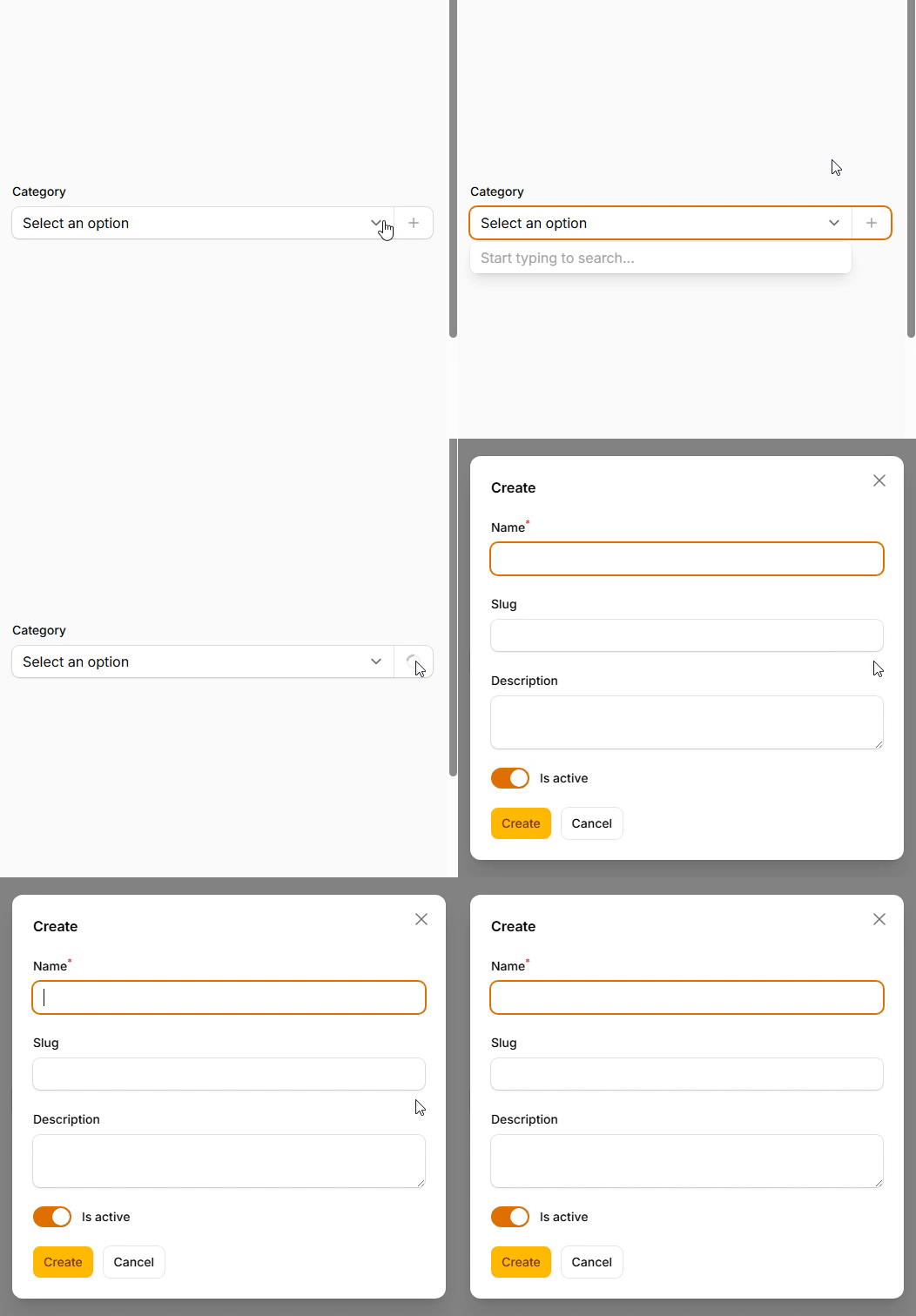
Enable users to create new options on-the-fly without leaving the form context. The createOptionForm method opens a modal with specified fields, creates the new record, and automatically selects it in the dropdown.
Select::make('category_id')
    ->relationship(name: 'category', titleAttribute: 'name')
    ->createOptionForm([
        TextInput::make('name')
            ->required()
            ->maxLength(255),
        TextInput::make('slug')
            ->maxLength(255),
        Textarea::make('description')
            ->maxLength(500),
        Toggle::make('is_active')
            ->default(true),
    ])
    ->searchable()
# Edit existing options
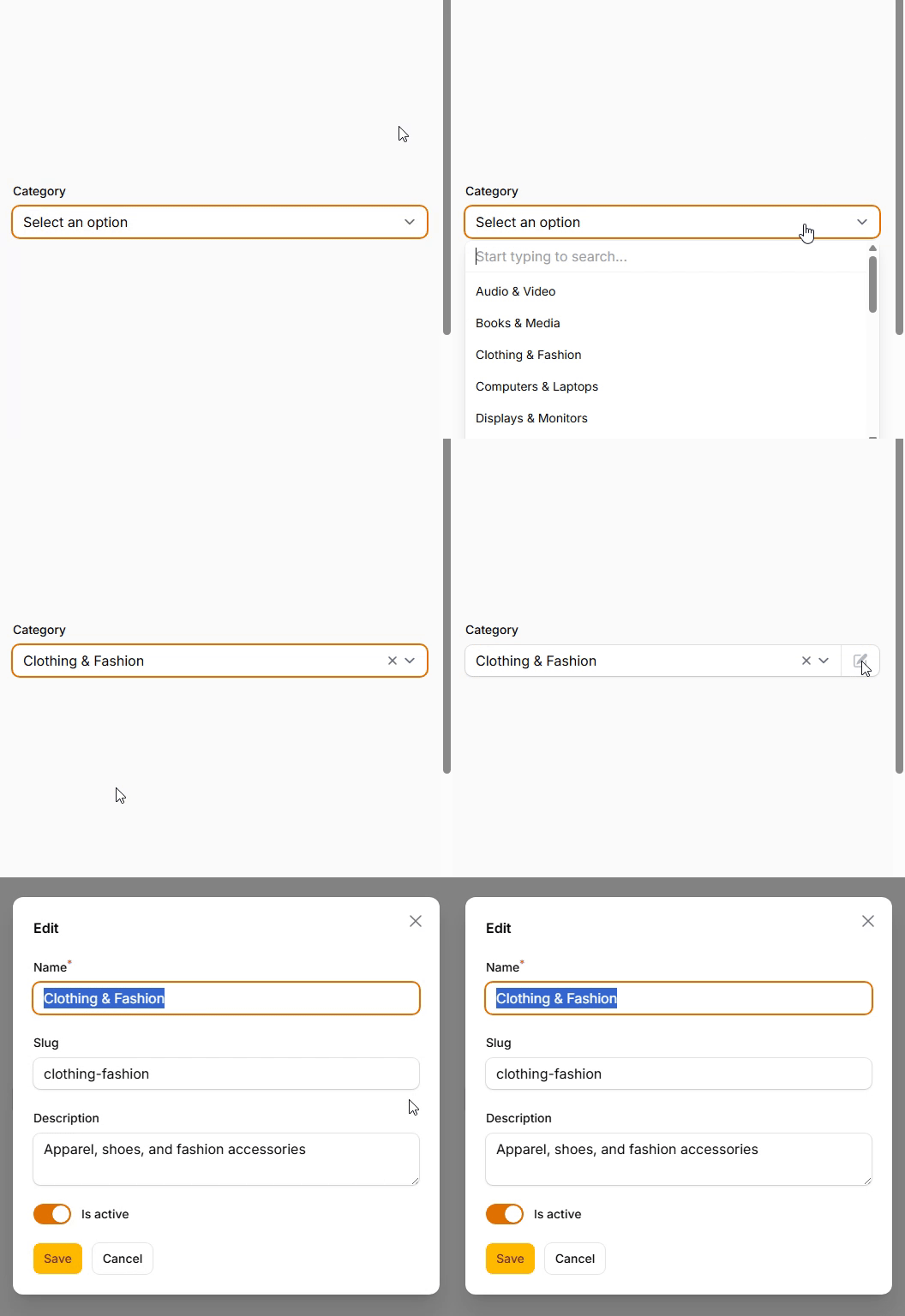
Allow users to modify existing options directly from the select interface using the editOptionForm method. This creates an editing modal that updates the related record without disrupting the form flow.
Select::make('category_id')
    ->relationship(name: 'category', titleAttribute: 'name')
    ->editOptionForm([
        TextInput::make('name')
            ->required()
            ->maxLength(255),
        TextInput::make('slug')
            ->maxLength(255),
        Textarea::make('description')
            ->maxLength(500),
        Toggle::make('is_active')
            ->default(true),
    ])
    ->searchable()
    ->preload()
# HTML-rich option labels
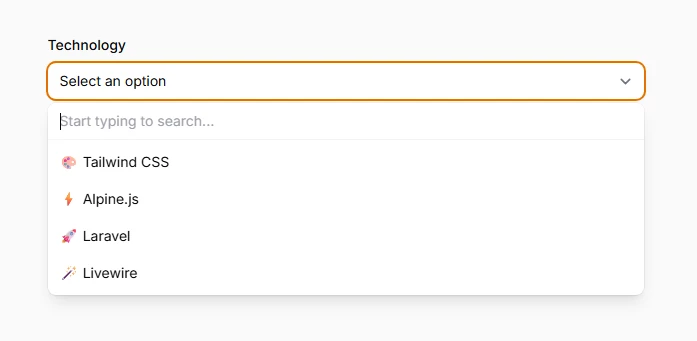
Display formatted option labels with HTML using the allowHtml method. Enable rich content like colored badges, icons, or styled text within option labels while maintaining security through proper HTML sanitization.
Select::make('technology')
    ->options([
        'tailwind' => '<span class="text-blue-500 font-semibold">🎨 Tailwind CSS</span>',
        'alpine' => '<span class="text-green-500 font-semibold">⚡ Alpine.js</span>',
        'laravel' => '<span class="text-red-500 font-semibold">🚀 Laravel</span>',
        'livewire' => '<span class="text-pink-500 font-semibold">🪄 Livewire</span>',
    ])
    ->searchable()
    ->allowHtml()